
Published: |Last updated:
Listen to this article
Show Quick ReadConcise summary from this article
Embroidery Software Compatibility Guide for Brother Machine Owners Your design looks perfect on the computer. The Brother machine won’t open it. Annoying, and it happens a lot, usually with files from a friend or a design website. Before you download another program, check the file format and what your machine actually reads. The best embroidery software for Brother depends on your model, your computer, and the work you do. If…
Ask AI About This Article
Answers are limited to information in this article.
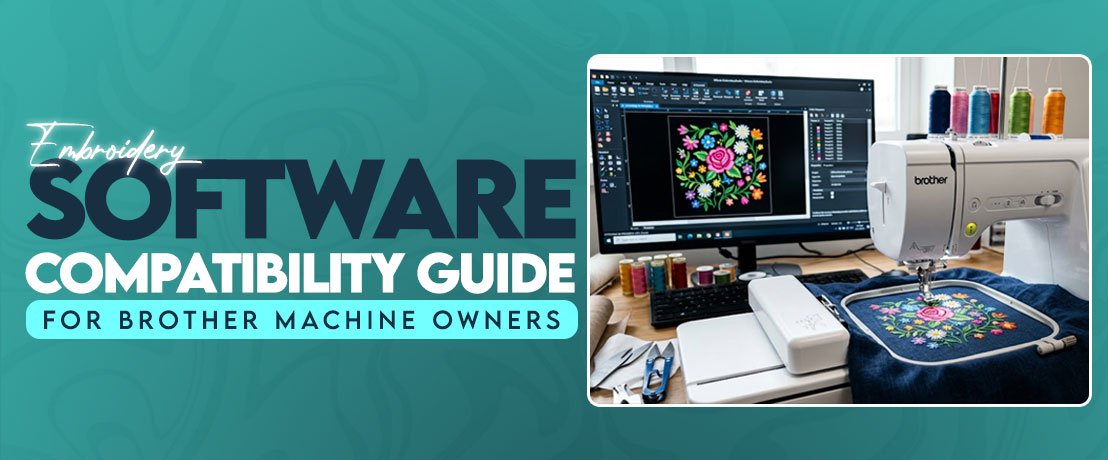
Embroidery Software Compatibility Guide for Brother Machine Owners
Your design looks perfect on the computer. The Brother machine won’t open it. Annoying, and it happens a lot, usually with files from a friend or a design website.
Before you download another program, check the file format and what your machine actually reads. The best embroidery software for Brother depends on your model, your computer, and the work you do. If you want to turn your own artwork into stitch files, you also need a program with control over stitch direction, density, and size.
Beginners miss one thing. A design that opens on your computer isn’t ready for the machine yet. The software has to save a compatible file, the design has to fit the hoop, and the stitches have to suit the fabric.
Which File Formats Do Brother Machines Read?
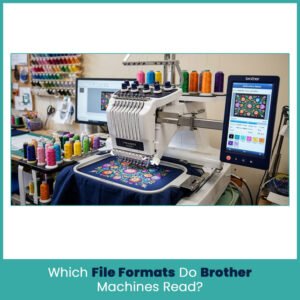
It changes from series to series, so open your manual and find the format list before you buy anything.
Brother’s help pages list PES, PHA, PHC, DST, PEN (for certain iBroidery designs), and PHX (selected newer models). No single machine reads all of them.
PES, PEC & DST
- PES: The most common Brother format. It holds stitch data and some design information that compatible software can read.
- PEC: Shows up in design libraries. Your software opening a PEC file doesn’t mean your machine will.
- DST: Built for commercial machines. Some Brother models and the Artspira app read it, but check your exact model.
- PHC and PHX: Tied to specific Brother software and machines. PHX has strict model limits.
PES is a safe place to start. Your machine’s manual still has the final word, not the extension.
By the way, when you buy designs online, check that the download has a real stitch file. A PNG or JPG shows the logo nicely but carries no stitch commands at all.
Why Your Design Won’t Load
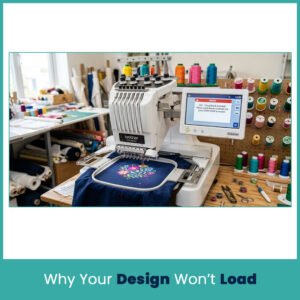
An error doesn’t always mean the file is damaged. Check these first:
- The format isn’t supported by your machine
- The software saved a file version your machine can’t read
- You copied the ZIP instead of extracting the embroidery file
- Another app changed the design during import or export
- The file has data your machine can’t interpret
Brother’s Artspira documentation lists PES, PHC, PHX, and DST for imports, and Brother warns that files handled through third party software can cause problems on the machine.
If a design worked last week and now it doesn’t, download the original again. Keep a backup copy too. And please stop renaming extensions. Changing .dst to .pes converts nothing, it just gives you a broken file with a new name.
Which Software Works With Brother Machines?
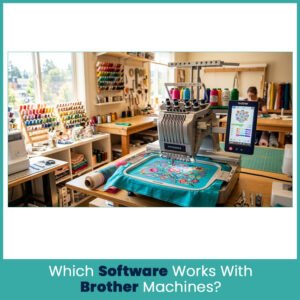
You don’t need the most expensive program. Figure out what you actually do first: download designs, add lettering, edit stitch files, or digitize from scratch. Each one needs different tools.
Brother’s Own Software
Brother PE Design embroidery software (PE-DESIGN 11) is the desktop choice. Brother lists built-in designs and fonts, custom lettering, PhotoStitch, Auto Punch, and stitch color sorting. It also sends designs wirelessly to selected Luminaire and Aveneer models. Makes sense if you personalize shirts, bags, or towels often.
Artspira works on iOS and Android and accepts PES, PHC, PHX & DST. The free plan stores 20 imported designs, Artspira+ goes up to 100. Features depend on your machine and plan.
Confirm your exact model number before paying for either. A feature that works on a Luminaire may not exist on an entry level SE or PE.
Third-Party Software
Third-party programs make sense when Brother’s basic tools stop being enough.
- Wilcom EmbroideryStudio: Professional digitizing and editing. Version 2026 lists Windows 11 64-bit as the requirement.
- Hatch Embroidery: Editing, lettering, and design creation, depending on the edition. Version 4 also lists Windows 11 64-bit.
- Embrilliance: The pick for Mac users, with Windows support as well. Tools depend on the product and license you buy.
A program that opens PES files doesn’t always digitize. Editing, lettering & digitizing are three different things, so read the feature list before paying.
Mac vs Windows
Embrilliance has native Mac software. Hatch doesn’t. Hatch documents a workaround with Parallels and Windows 11 ARM on Apple silicon Macs, and that setup needs extra memory and software. Wilcom 2026 needs Windows 11 64-bit as well.
Before you install anything, check your operating system, processor, memory, and storage. Check what format the program exports, and whether your machine needs USB, wireless, or a separate transfer tool.
How to Transfer Designs Without Errors
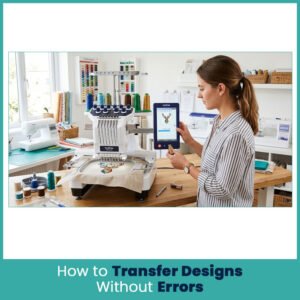
Your machine only accepts the transfer methods its model supports.
USB works for machines with a port that reads embroidery files:
- Export the design in a format your model supports.
- Save it to a folder you can find.
- Copy the stitch file to the USB drive.
- Eject the drive safely.
- Plug it into the correct port. Some machines have separate ports for accessories and USB storage.
- Open the design list and pick the file.
Wireless transfer works on compatible models. Brother describes it between PE-DESIGN 11 and selected Luminaire and Aveneer machines, and Artspira sends designs to compatible wireless machines. Not every model supports it.
Direct cable connections need support from both the machine and the software. Having a USB port doesn’t mean a regular USB cable will move embroidery files.
Fixing Unreadable Files
Go one step at a time:
- Download the original file again.
- Extract it if it came as a ZIP.
- Check the extension against your manual.
- Open it in compatible software and look at the preview.
- Export it again in a supported format.
- Transfer the new file without renaming it.
If it opens in software but not on the machine, look at hoop size and format limits. If it fails in both places, the download is probably incomplete or the file isn’t a real stitch design. Keep the original until the new version works.
Compatibility Problems That Show Up While Stitching
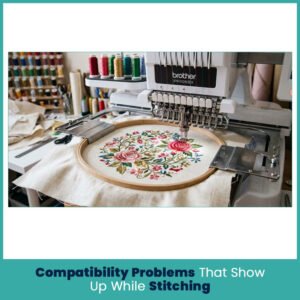
A design can load fine and still stitch badly. Extensions are only one part of it. Stitch plan, size, fabric, and machine limits all matter.
Design Bigger Than the Hoop
Every machine has a maximum embroidery area. A 5 by 7 inch logo on a machine with a smaller hoop will open in the software and get rejected by the machine.
Compare the design’s width and height with your usable area, and leave room for hoop positioning. Resize only if the lettering stays clear.
Resizing changes how the stitches behave. Shrink tiny letters and they close up. Enlarge a design without adjusting the stitch settings and you get gaps or heavy density. If the logo looks crowded after resizing, go back to the original file.
Stitch Count and Density
A compatible file still can stitch badly. A dense logo on a thin polo puckers the fabric or leaves a stiff patch, while the same file might be fine on a heavy jacket. Check these before you stitch:
- Density: Too many stitches in a small area makes the design stiff and can damage fabric.
- Underlay: Base stitches support the top layer, especially on textured fabric.
- Pull compensation: Covers the way fabric shifts under the needle.
- Lettering size: Small letters need the right settings to stay readable.
- Stitch direction: Changes coverage and the final look.
The preview can look clean while the stitch plan has problems. A test stitch on similar fabric tells you much more than the screen does.
When You Need Re-Digitizing
Editing a file and rebuilding its stitch plan are different jobs. If a logo keeps giving you gaps, thread breaks or unreadable lettering, resizing won’t fix it. That’s when custom embroidery digitizing makes sense, because someone rebuilds the stitch plan from the artwork instead of patching the old file.
A digitizer looks at artwork, size, fabric, and placement before choosing stitch types and directions. A small left chest logo needs a different plan from a jacket back or a raised cap logo.
Re-digitize when:
- Tiny details vanish during stitching
- The stitch count looks too high for the size
- Fabric still puckers after you fix hooping and stabilizer
- Lettering closes up
- You want the same design on a different garment or placement
A new file beats endless tweaking of one that was never right for the fabric.
Choosing Software for Your Brother Model
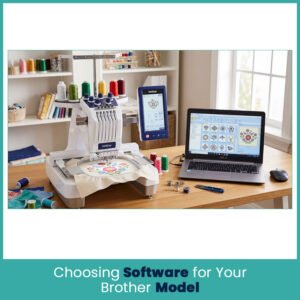
Start with the model number. Then decide which tools you need.
PE, SE, and Luminaire machines don’t share every feature or connection method, and models within one family differ in embroidery area and transfer options. Brother’s own documentation lists some formats as exclusive to selected models.
- PE series: Check embroidery area, supported formats, and transfer method before buying editing software.
- SE series: Confirm the machine embroiders as well as sews, then check the transfer steps for your model.
- Luminaire series: Check the advanced features and wireless setup for your specific version.
Beginner vs Advanced Needs
If you download ready made designs, you need software that opens and exports your machine’s format, simple lettering, and basic editing. Built-in designs help too. Start with a simple design before you try detailed artwork.
If you make customer logos regularly, look for manual digitizing, control over underlay, density, direction, and compensation, plus proper lettering and editing tools. Confirm it supports your computer and export format.
Don’t pay for advanced digitizing if you only change thread colors or add names. But if customer logos are your daily work, a basic viewer won’t cover it.
FAQs
Which file format is best for Brother embroidery machines?
PES is a common starting point, but check your model’s manual because supported formats vary.
Can I use Wilcom or Hatch with a Brother machine?
Yes, if the software works on your computer and exports a file your Brother model accepts. Check both before buying.
Why does my Brother machine say “Data Error” when loading a design?
The file may use an unsupported format, have unreadable data, or exceed the machine’s design limits. Download the original again and check your model’s requirements.
Do I need Brother’s software, or is third-party software fine?
Brother software suits owners who want its design tools and transfer features. Third-party programs work for many setups as long as they export compatible files.
Author Bio
Matthew Davis
Senior Embroidery Digitizer
I’m Matthew Davis, a skilled embroidery digitizer with more than 15 years of practical experience. I specialize in logo digitizing, 3D puff embroidery designs, applique digitizing, custom embroidery digitizing, and working with difficult fabrics. Over the years, I have worked with different fashion brands and production teams worldwide. I always share simple tips and useful techniques to help both beginners and businesses improve their embroidery work.
Promote your articles nowCheck for details
Choose a promotion package
Choose a package below, scan the QR code and pay the displayed amount for 20 days.
After payment, email your article title and payment screenshot to info@yourneeds.asia. Once confirmation is received, one of our administrators will activate the promotion.
Choose where your promoted article receives extra visibility
Promotion changes presentation and placement for the selected period. It does not guarantee traffic, enquiries, search ranking or sales.
Priority visibility in the VIP Lounge, promoted shelves and highlighted article areas.
Top-style highlighting in article directories, homepage feeds and promoted article blocks.
Premium styling across supported article feeds, recommendations and directory placements.
Featured presentation in supported homepage, category, directory and related-article areas.
Build a stronger online presence for your business
Get Your Website for ₹15,000
Are you listed and don't have a website for your business? We can plan, design and launch a responsive website that makes your business easier to understand and contact.
Get My WebsiteSEO Starts from ₹10,000/Month
Improve how your business is presented across Google, local listings and AI-powered search results with ongoing SEO, content and authority-building work.
Improve My VisibilitySuggested Articles
View all articles
How to Pest-Proof Your Hyderabad Home Before Seasonal Changes
How to Pest-Proof Your Hyderabad Home Before Season Changes Hyderabad’s climate is favorable for pest infestation, and a sudden shift in the season from…
Embroidery Accessories to Budget For Before Your First Project
Looking for the best embroidery machine for beginners? Plan ahead for extras like snips, bobbin cases, and temporary spray so costs don’t surprise you.

Why Amphibious Excavators Beat Standard Machines in Canal Desilting and Wetland Work
[caption id="attachment_9073" align="aligncenter" width="300"] Wet-land excavtor[/caption] An amphibious excavator replaces tracks with pontoon-style floats that distribute weight across a much larger surface…
6 Embroidery Machines to Consider in 2026 and 2 to Avoid
Explore embroidery machines worth your money in 2026, along with two options to skip. Learn what matters when choosing the best embroidery machine for…
Latest Blog Posts
View all articles
Men’s Health and Wellness: How to Separate Health Facts From Marketing Claims
Men’s Health and Wellness: How to Separate Health Facts From Marketing Claims A search for men’s health advice can quickly lead to hundreds of…

Shangrilla Farm House – A Relaxing Destination for Family Picnics and Private Events
Planning a family picnic, birthday party, friends’ gathering, or special celebration? Shangrilla Farm House in Karachi offers a countryside-style setting where guests can take…

Luxury Serviced Apartments in Goa for Second Homes
Luxury serviced apartments in Goa can offer a convenient second-home option for people who live elsewhere but want a ready-to-use property in the state.…
Halla Gulla Farm House – A Perfect Spot for Family Picnics and Private Events in Karachi
Planning a family picnic, friends’ gathering, birthday celebration, or relaxing day out? Halla Gulla Farm House in Karachi offers a private getaway where guests…
How to Choose the Best AC to DC Power Adapter: Types, Uses & Buying Guide
Electronic devices need a reliable power source to work safely and efficiently. Many devices operate using direct current (DC), while the electricity supplied to…

Digital Marketing Freelancer in Malappuram
If you run a shop, clinic, restaurant, institute or online store, you have probably asked yourself the same question: why are people not finding…