

Published: |Last updated:
Listen to this article
Show Quick ReadConcise summary from this article
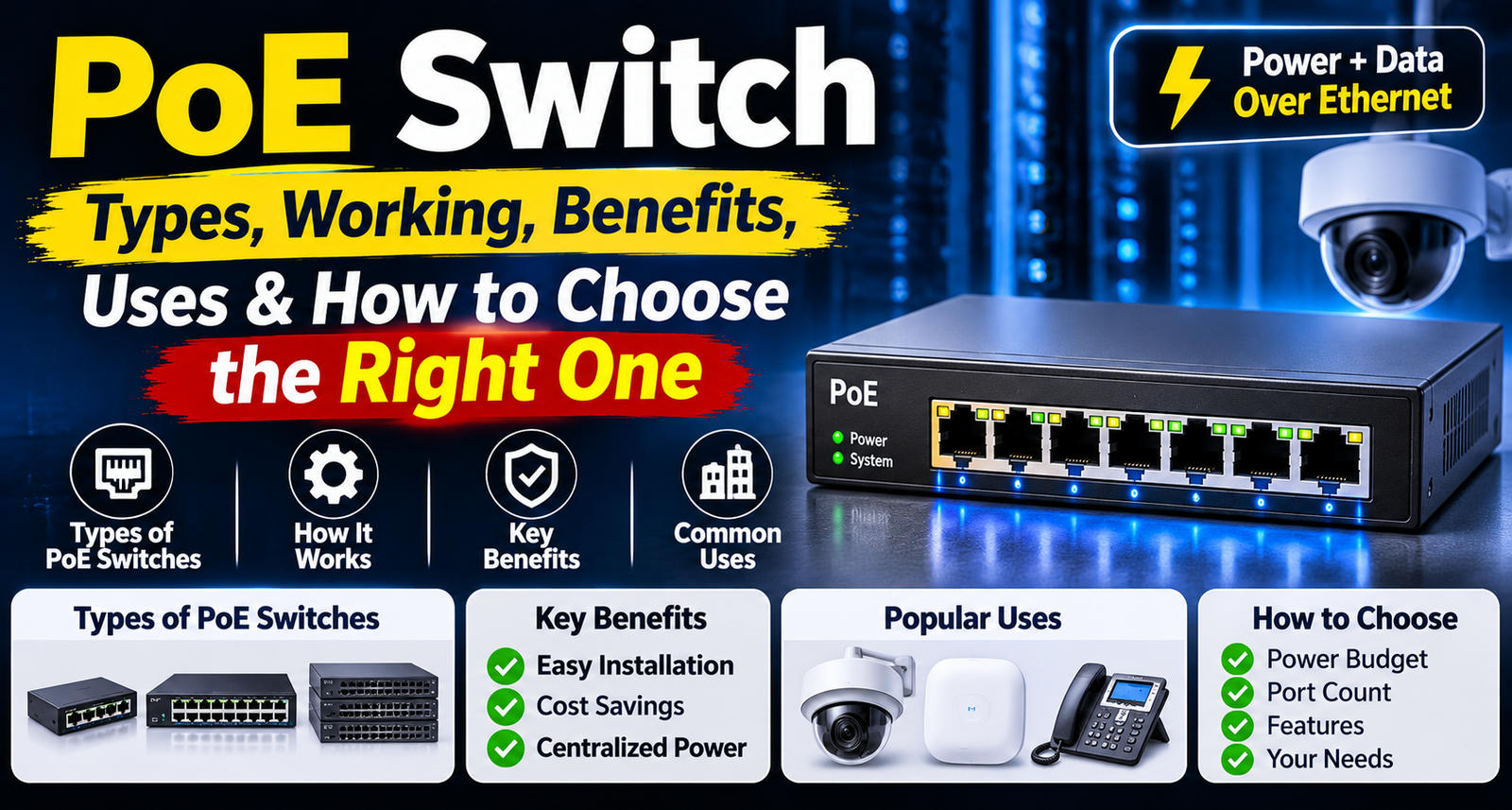
Introduction Modern networking systems require reliable connectivity for devices such as IP cameras, wireless access points, VoIP phones, and other network equipment. Installing separate power connections for every device can make network setup complicated, especially in offices, commercial buildings, and large surveillance installations. A Power over Ethernet solution helps simplify this process by carrying both electrical power and network data through a single Ethernet cable. A PoE Switch is a…
Ask AI About This Article
Answers are limited to information in this article.
Introduction
Modern networking systems require reliable connectivity for devices such as IP cameras, wireless access points, VoIP phones, and other network equipment. Installing separate power connections for every device can make network setup complicated, especially in offices, commercial buildings, and large surveillance installations. A Power over Ethernet solution helps simplify this process by carrying both electrical power and network data through a single Ethernet cable.
A PoE Switch is a useful networking device that connects multiple Ethernet-enabled devices while supplying power to compatible equipment. It reduces the need for separate power adapters and makes network installation more organised. Whether you are setting up a CCTV surveillance system, expanding an office network, or connecting wireless access points, choosing the right switch can improve installation convenience and network management.
In this guide, we will explain how PoE technology works, its different types, benefits, applications, and important factors to consider before purchasing a suitable networking device.
What Is a Power over Ethernet Switch?
A Power over Ethernet Switch is a network switch that delivers electrical power and data through compatible Ethernet cables. It allows supported devices to receive power directly from the network connection instead of requiring an individual power adapter.
Traditional Ethernet switches primarily provide data connectivity. PoE-enabled models can also supply power to compatible devices through their Ethernet ports.
Common devices that can use this technology include:
- IP surveillance cameras
- Wireless access points
- VoIP telephones
- Network video equipment
- Compatible access control devices
- Other PoE-enabled networking equipment
This technology is particularly useful in locations where installing additional electrical outlets is difficult or inconvenient.
How Does a PoE Switch Work?
A PoE-enabled network switch connects to a router or another network device to provide network access. Compatible Ethernet devices are then connected to its PoE ports.
The switch detects whether a connected device supports PoE and, where supported, supplies the appropriate electrical power according to the applicable PoE standard. Data and power travel through the same Ethernet cable.
Here is a simple explanation of the process:
- Connect the switch to your router or main network.
- Connect compatible PoE devices using Ethernet cables.
- The switch identifies supported powered devices.
- It supplies power according to the supported PoE standard and available power budget.
- Connected devices receive network connectivity and power through one cable.
This setup can reduce cable clutter and simplify network installation.
Different Types of PoE Switches
PoE switches are available in different configurations to support various networking requirements. Understanding their types helps you select a suitable model.
1. Gigabit PoE Switch
A Gigabit PoE Switch provides Ethernet connectivity at speeds of up to 1Gbps per compatible port. It is suitable for networks that require faster data transfer, including high-resolution IP camera systems, office networks, and wireless access points.
Gigabit connectivity can help support multiple connected devices that regularly transfer large amounts of data.
2. 8-Port PoE Switch
An 8 Port PoE Switch is suitable for small and medium-sized networking installations. It can connect multiple compatible devices, such as CCTV cameras, wireless access points, and VoIP phones.
It is a practical option for small offices, retail stores, and home surveillance systems where a limited number of network connections are required.
3. 16-Port PoE Switch
A 16 Port PoE Switch provides more connection capacity for larger installations. It is useful for businesses, warehouses, schools, and commercial buildings that need to connect several network devices.
Before choosing one, check the total PoE power budget, port speed, and number of PoE-enabled ports.
4. Managed PoE Switch
A Managed PoE Switch provides additional network configuration and monitoring features. Depending on the model, users may be able to configure VLANs, monitor traffic, manage individual ports, and apply network security settings.
It is useful for organisations that need greater control over their network infrastructure.
5. Unmanaged PoE Switch
An Unmanaged PoE Switch is designed for straightforward plug-and-play networking. It generally requires minimal configuration and automatically provides connectivity to compatible connected devices.
It is suitable for smaller installations where advanced network management features are not necessary.
Benefits of Using a PoE Network Switch
A PoE Network Switch offers several practical advantages for modern network installations.
1. Single-Cable Installation
One Ethernet cable can carry both data and power to compatible devices. This reduces the need for separate power cables and makes installation simpler.
2. Reduced Cable Clutter
Using fewer cables can create a cleaner and more organised network setup. This is especially useful in offices, server rooms, and surveillance installations.
3. Flexible Device Placement
Compatible devices can be installed in locations where a separate electrical outlet may not be available, provided the Ethernet cable distance and power requirements are supported.
4. Centralised Power Management
PoE switches provide power to connected devices from a central location. Some models also support port-level power monitoring and control.
5. Convenient Network Expansion
Additional compatible devices can be connected through available ports, subject to the switch’s port capacity and total power budget.
Common Applications of PoE Switches
PoE technology is used in several networking environments because it simplifies the connection and powering of compatible equipment.
CCTV Surveillance Systems
A PoE Switch for CCTV Cameras helps connect compatible surveillance cameras to a network using Ethernet cables. It can simplify installations by reducing the requirement for separate camera power adapters.
It is important to check the camera’s power consumption, PoE standard, cable length, and switch power budget before installation.
IP Camera Installations
A PoE Switch for IP Cameras is useful for connecting multiple compatible cameras in homes, offices, warehouses, and commercial properties. It provides network connectivity and power through Ethernet connections.
The number of supported cameras depends on available ports and the total power budget of the switch.
Office Networking
Businesses can use PoE technology to connect wireless access points, VoIP phones, and other compatible network devices. It helps create an organised network infrastructure.
Educational Institutions
Schools and colleges can use PoE-enabled networking equipment for wireless access points, surveillance systems, and communication devices.
Retail Stores and Warehouses
Retail environments and warehouses can use these switches to connect compatible surveillance cameras and wireless networking equipment across different areas.
Important Factors to Consider Before Buying a PoE Switch
Choosing the right model requires more than checking the number of Ethernet ports. Consider these important factors:
1. Number of Ports
Calculate how many devices you need to connect. Choose a model with enough ports for current requirements and possible future expansion.
2. PoE Standard
Check whether the switch supports IEEE 802.3af, 802.3at, or 802.3bt, depending on the power requirements of your connected devices.
3. Total PoE Power Budget
Every switch has a maximum power budget. Add the power requirements of all connected devices and make sure the switch can support them simultaneously.
4. Network Speed
Choose between Fast Ethernet and Gigabit connectivity according to your network requirements. Gigabit ports are useful when higher data transfer speeds are needed.
5. Managed or Unmanaged Design
Select a managed model if you need advanced configuration and network monitoring. For simple installations, an unmanaged option may be sufficient.
6. Ethernet Cable Compatibility
Use suitable Ethernet cables and check the supported cable category, installation distance, and quality. Standard Ethernet channel lengths are generally limited to 100 metres, subject to the applicable cabling requirements.
7. Installation Environment
Consider the switch’s mounting options, ventilation, operating temperature, and power supply requirements before installation.
Common Mistakes to Avoid
Before installing a PoE switch, avoid these common mistakes:
- Selecting a switch with insufficient power budget.
- Ignoring the PoE standard supported by connected devices.
- Choosing too few Ethernet ports.
- Confusing Gigabit speed with PoE power capacity.
- Using unsuitable or damaged Ethernet cables.
- Ignoring cable distance limitations.
- Assuming every Ethernet device supports PoE.
- Purchasing a managed switch when its advanced features are not required.
Checking these details beforehand can help prevent compatibility issues and improve network reliability.
Conclusion
PoE technology makes modern networking installations more convenient by combining data connectivity and electrical power through compatible Ethernet cables. It can simplify installations for IP cameras, wireless access points, VoIP phones, and other supported devices.
Before choosing a switch, consider port capacity, network speed, PoE standards, total power budget, and management features. Selecting a model that matches your connected devices and installation requirements can help create a reliable and organised network infrastructure.
Whether you are building a small office network or expanding a commercial surveillance system, understanding these factors will help you choose the right networking solution.
15 Frequently Asked Questions About PoE Switches
1. What is a PoE switch?
A PoE switch is a networking device that provides both electrical power and data connectivity to compatible devices through a single Ethernet cable.
2. How does a PoE switch work?
It detects compatible powered devices connected to its ports and supplies the required power while transmitting network data through the Ethernet cable.
3. What devices can be connected to a PoE switch?
Compatible IP cameras, wireless access points, VoIP phones, access control devices, and other PoE-enabled networking equipment can be connected.
4. What is the difference between a PoE switch and a normal Ethernet switch?
A normal Ethernet switch provides network connectivity, whereas a PoE switch can provide both network data and electrical power to compatible devices.
5. What is the difference between managed and unmanaged PoE switches?
A managed model offers advanced configuration, monitoring, and network management features. An unmanaged model generally provides simple plug-and-play connectivity without advanced configuration.
6. How many devices can a PoE switch support?
The number of devices depends on the available Ethernet ports and the total PoE power budget. Each connected device must also be compatible with the switch.
7. Can a PoE switch be used for CCTV cameras?
Yes. It can connect and power compatible PoE CCTV cameras through Ethernet cables, reducing the need for separate power adapters at each camera location.
8. What is the difference between an 8-port and a 16-port PoE switch?
An 8-port model provides fewer network connections and is suitable for smaller installations. A 16-port model supports more connected devices and is useful for larger networks.
9. What is a Gigabit PoE switch?
A Gigabit PoE switch supports network speeds of up to 1Gbps on compatible ports while supplying power to supported PoE devices.
10. What are the common PoE standards?
Common IEEE PoE standards include 802.3af, 802.3at, and 802.3bt. They support different power levels, so check the switch and connected device specifications before installation.
11. What is a PoE power budget?
A PoE power budget is the maximum total electrical power that a switch can supply to its connected PoE devices. It is important to ensure that the combined device requirements do not exceed this limit.
12. What is the maximum Ethernet cable distance for PoE?
A standard Ethernet channel generally supports a maximum distance of 100 metres, including patch cables. Actual performance also depends on cable quality, installation conditions, and connected equipment.
13. Can I connect a non-PoE device to a PoE switch?
Yes, standard Ethernet devices can generally connect to PoE switch ports. The switch should detect whether a device requires PoE before supplying power. Always check the manufacturer’s specifications.
14. Does a PoE switch require a separate power supply?
Yes. The switch itself needs an electrical power source to operate and supply power to connected devices. Some models may also support alternative power arrangements specified by the manufacturer.
15. How do I choose the right PoE switch?
Consider the number of ports, supported PoE standards, total power budget, network speed, managed or unmanaged functionality, Ethernet cable requirements, and the power consumption of connected devices.
Promote your articles nowCheck for details
Choose a promotion package
Choose a package below, scan the QR code and pay the displayed amount for 20 days.
After payment, email your article title and payment screenshot to info@yourneeds.asia. Once confirmation is received, one of our administrators will activate the promotion.

Choose where your promoted article receives extra visibility
Promotion changes presentation and placement for the selected period. It does not guarantee traffic, enquiries, search ranking or sales.
Priority visibility in the VIP Lounge, promoted shelves and highlighted article areas.
Top-style highlighting in article directories, homepage feeds and promoted article blocks.
Premium styling across supported article feeds, recommendations and directory placements.
Featured presentation in supported homepage, category, directory and related-article areas.
Build a stronger online presence for your business
Get Your Website for ₹15,000
Are you listed and don't have a website for your business? We can plan, design and launch a responsive website that makes your business easier to understand and contact.
Get My WebsiteSEO Starts from ₹10,000/Month
Improve how your business is presented across Google, local listings and AI-powered search results with ongoing SEO, content and authority-building work.
Improve My VisibilitySuggested Articles
View all articles
Laptop Sleeve for 13.6, 14 & 15.6 Inch Laptop – Slim, Lightweight & Protective Carry Case
Introduction A laptop is an important part of everyday life, whether you use it for office work, online classes, business meetings, or personal tasks.…
USB Extension Cable: Types, Uses, Benefits & How to Choose the Right One
Introduction Modern homes, offices, and workplaces use multiple USB-powered devices every day. From keyboards and mice to printers, webcams, external hard drives, smartphones, and…
How to Choose the Best AC to DC Power Adapter: Types, Uses & Buying Guide
Electronic devices need a reliable power source to work safely and efficiently. Many devices operate using direct current (DC), while the electricity supplied to…
How to Choose the Best Trolley Stand: Types, Uses, Benefits & Buying Tips
Introduction Choosing the right stand for your home appliances can help improve stability, simplify cleaning, and make better use of available space. Whether you…
Latest Blog Posts
View all articles
Website Development: A Practical Guide to Planning a Business Website
Website Development: A Practical Guide to Planning a Business Website A business website is often one of the first places potential customers visit when…

GCC Ginger: Wellness Trends and Food Innovation Expand Regional Demand
Ginger is an important ingredient across the Gulf Cooperation Council (GCC), where it is widely used in traditional cuisine, beverages, functional foods, herbal remedies,…

How Chatbot Marketing Is Transforming Digital Public Relations
Building a strong online reputation requires businesses to communicate consistently, share valuable information, and maintain meaningful relationships with their audiences. Traditional public relations activities…

Radiology Scans in Mumbai | Book Your Scan Appointment Today
When a doctor recommends an imaging test, finding a reliable diagnostic centre is an important step towards understanding your health. Whether you need an…

France’s Tyre Industry Adapts to Electric Mobility and Sustainability Trends
France’s tyre industry is influenced by its extensive vehicle fleet, established automotive manufacturing base, and demand for reliable road transportation. Passenger cars, light commercial…

How to Make Your Chatbot More Engaging With Gamification
Businesses are constantly looking for ways to make digital interactions more interesting and encourage customers to stay connected with their brands. Chatbot gamification provides…