

Published: |Last updated:
Listen to this article
Show Quick ReadConcise summary from this article
Website speed is one of the most important factors that can affect user experience, search visibility, and conversions. Visitors expect websites to load quickly, especially when browsing from mobile devices. If a website takes too long to load, users may leave before viewing the content or completing an action. Page Speed Optimization is the process of improving a website's loading speed and overall performance. It involves optimizing images, reducing unnecessary…
Ask AI About This Article
Answers are limited to information in this article.
Website speed is one of the most important factors that can affect user experience, search visibility, and conversions. Visitors expect websites to load quickly, especially when browsing from mobile devices. If a website takes too long to load, users may leave before viewing the content or completing an action.
Page Speed Optimization is the process of improving a website’s loading speed and overall performance. It involves optimizing images, reducing unnecessary code, improving server performance, using caching, and making other technical improvements.
A faster website can provide a better browsing experience while helping businesses improve engagement, conversions, and SEO performance. This guide explains practical ways to improve website speed and create a faster online experience.
What Is Page Speed Optimization?
Page Speed Optimization refers to the techniques used to make web pages load faster and perform more efficiently. It focuses on reducing loading time, improving responsiveness, and delivering website content to visitors as quickly as possible.
Website speed can be affected by many elements, including large images, excessive JavaScript, unoptimized CSS, slow hosting, third-party scripts, and inefficient website architecture.
The goal of Page Speed Optimization is not simply to make a page load quickly. It is also about creating a smooth and responsive experience across desktop and mobile devices.
Why Is Page Speed Important?
Website speed directly influences how users interact with a website. When pages load quickly, visitors can access information without unnecessary waiting.
Better User Experience
A fast website allows visitors to navigate between pages smoothly. Users can find information, read content, interact with forms, and complete purchases without frustrating delays.
Improved SEO Performance
Search engines consider page experience and performance as part of their ranking systems. Improving website speed can contribute to a stronger overall SEO strategy, especially when combined with high-quality content, relevant keywords, and a technically sound website.
Higher Conversion Rates
Slow websites can create friction during important actions such as purchasing products, submitting forms, or requesting services. Improving page performance can help reduce unnecessary delays and create a more effective conversion experience.
How to Check Website Speed
Before starting Page Speed Optimization, you should measure the current performance of your website. Testing helps identify the specific problems that are slowing down your pages.
Use Website Speed Testing Tools
Tools such as Google PageSpeed Insights can provide performance information for both mobile and desktop experiences. Other performance testing platforms can also help identify issues related to images, scripts, server response, and page resources.
Analyze Core Web Vitals
Core Web Vitals focus on important aspects of real-world page experience. Key metrics include loading performance, interactivity, and visual stability.
Monitoring these metrics can help you understand whether visitors are receiving a fast and stable browsing experience.
Optimize Website Images
Images are often one of the largest resources on a web page. Large, uncompressed images can significantly increase page size and loading time.
Compress Images
Compress images before uploading them to your website. Image compression reduces file size while maintaining acceptable visual quality.
Modern formats such as WebP and AVIF can also help reduce image file sizes compared with older formats in many situations.
Use Responsive Images
Different devices require different image dimensions. Serving unnecessarily large images to mobile users wastes bandwidth and can slow down loading.
Responsive image techniques allow browsers to select an appropriate image size based on the visitor’s device and screen.
Implement Lazy Loading
Lazy loading delays the loading of images that are not immediately visible on the screen. Images can load as users scroll toward them, reducing the amount of content that needs to load initially.
Minify CSS, JavaScript, and HTML
Websites often contain large amounts of CSS, JavaScript, and HTML code. Unnecessary spaces, comments, formatting, and unused code can increase file sizes.
Minify Website Files
Minification removes unnecessary characters from website files without changing their functionality. Smaller files can be transferred more efficiently to visitors.
Remove Unused Code
Review your CSS and JavaScript files and remove code that is no longer required. Unused resources can increase page weight and create unnecessary browser processing.
Improve Server Response Time
Your website’s server plays an important role in page performance. Even a well-optimized page can feel slow if the server takes too long to respond.
Choose Reliable Hosting
A reliable hosting provider with suitable server resources can improve website performance. Shared hosting may be sufficient for smaller websites, but websites with high traffic may require more powerful hosting infrastructure.
Use a Content Delivery Network
A Content Delivery Network, or CDN, stores website resources across multiple geographic locations. When visitors access your website, resources can often be delivered from a server closer to them.
This can reduce latency and improve loading performance for users in different regions.
Enable Browser Caching
Browser caching allows frequently used website resources to be stored locally in a visitor’s browser.
When the user returns to your website, the browser may not need to download every resource again. Proper cache settings can therefore reduce loading time for returning visitors.
Set Appropriate Cache Policies
Configure caching rules for images, CSS, JavaScript, fonts, and other static resources. Long-lived resources can often use longer cache periods when they do not change frequently.
Reduce HTTP Requests
Every resource a browser needs to request can contribute to page loading time. Websites with excessive CSS files, JavaScript files, fonts, images, and third-party resources may require many requests.
Reducing unnecessary requests can make the loading process more efficient.
Combine and Optimize Resources
Where appropriate, combine files and remove unnecessary resources. However, modern websites may benefit from optimized delivery strategies rather than simply combining every file. The best approach depends on the site’s architecture and performance requirements.
Optimize JavaScript Loading
JavaScript can add functionality to a website, but excessive or poorly loaded scripts can delay page rendering and interaction.
Defer Non-Critical JavaScript
Non-critical scripts can often be deferred so that important page content can load first. This allows visitors to see and interact with essential content sooner.
Reduce Third-Party Scripts
Analytics tools, advertising scripts, chat widgets, social media integrations, and other third-party services can affect performance.
Review third-party scripts regularly and remove those that are unnecessary or provide little value.
Optimize CSS Delivery
CSS controls the visual presentation of your website. However, excessive CSS can increase page size and delay rendering.
Remove Unused CSS
Identify styles that are no longer required and remove them. Keeping CSS files clean can reduce the amount of data browsers need to download and process.
Prioritize Critical Styles
Critical CSS can help browsers render important above-the-fold content more quickly. Non-essential styles can be loaded later when appropriate.
Use a Lightweight Website Design
A visually impressive website does not need to be overloaded with animations, plugins, scripts, and large media files.
A lightweight design can improve both usability and performance.
Limit Unnecessary Plugins
For CMS-based websites, plugins can add useful functionality, but too many plugins may increase resource usage and create conflicts.
Review installed plugins regularly and remove those that are unnecessary or inactive.
Optimize Fonts
Web fonts can affect loading performance, especially when a website loads multiple font families, weights, and styles.
Use only the fonts and font weights that are actually required. Where appropriate, optimize font loading and consider modern font formats.
Improve Mobile Page Speed
Mobile optimization is essential because many users access websites through smartphones and tablets.
A website that performs well on desktop may still have performance problems on mobile devices due to slower network connections, smaller hardware resources, or poorly optimized layouts.
Create a Mobile-Friendly Experience
Use responsive layouts, optimized images, readable typography, and efficient navigation. Avoid unnecessary elements that make mobile pages heavy or difficult to interact with.
Test Real Mobile Performance
Do not rely only on desktop testing. Regularly test important pages on mobile devices and review performance metrics to identify issues affecting mobile visitors.
Monitor Website Performance Regularly
Page Speed Optimization is not a one-time task. Websites change over time as new pages, plugins, scripts, images, and features are added.
Regular monitoring helps you identify new performance problems before they significantly affect users.
Track Important Pages
Focus on pages that receive significant traffic or generate conversions. Monitor landing pages, product pages, service pages, blog posts, and other important URLs.
Test After Major Changes
Run performance tests after redesigns, plugin installations, theme changes, hosting migrations, and major content updates. This can help you determine whether a change has improved or reduced website performance.
Common Page Speed Optimization Mistakes
Some optimization efforts can create new problems if they are implemented without proper testing.
One common mistake is compressing images too aggressively, which can reduce visual quality. Another is installing multiple optimization plugins that perform overlapping functions.
Blocking important JavaScript or CSS can also cause layout and functionality problems. Similarly, focusing only on a single speed score instead of real user experience can lead to poor optimization decisions.
The best strategy is to identify the actual bottleneck, make a targeted improvement, and test the result.
Benefits of Page Speed Optimization
Effective Page Speed Optimization can provide several benefits for a website.
A faster website can improve user satisfaction, reduce unnecessary waiting, support better engagement, and create a smoother browsing experience. It can also contribute to SEO and help visitors complete important actions more easily.
For ecommerce websites, improved performance can be particularly valuable because customers expect product pages, shopping carts, and checkout experiences to respond quickly.
Final Thoughts
Page Speed Optimization is an essential part of modern website management. From compressing images and optimizing code to improving server performance and reducing unnecessary scripts, many technical improvements can make a website faster.
Start by measuring your current performance and identifying the biggest problems. Then make improvements gradually and test the results. Focus on real user experience rather than chasing a perfect score.
A fast, responsive, and technically optimized website can provide visitors with a better experience while supporting your broader SEO, engagement, and conversion goals.
Promote your articles nowCheck for details
Choose a promotion package
Choose a package below, scan the QR code and pay the displayed amount for 20 days.
After payment, email your article title and payment screenshot to info@yourneeds.asia. Once confirmation is received, one of our administrators will activate the promotion.

Choose where your promoted article receives extra visibility
Promotion changes presentation and placement for the selected period. It does not guarantee traffic, enquiries, search ranking or sales.
Priority visibility in the VIP Lounge, promoted shelves and highlighted article areas.
Top-style highlighting in article directories, homepage feeds and promoted article blocks.
Premium styling across supported article feeds, recommendations and directory placements.
Featured presentation in supported homepage, category, directory and related-article areas.
Build a stronger online presence for your business
Get Your Website for ₹15,000
Are you listed and don't have a website for your business? We can plan, design and launch a responsive website that makes your business easier to understand and contact.
Get My WebsiteSEO Starts from ₹10,000/Month
Improve how your business is presented across Google, local listings and AI-powered search results with ongoing SEO, content and authority-building work.
Improve My VisibilitySuggested Articles
View all articles
What Is Digital Marketing? A Beginner’s Guide for India
Digital marketing is the promotion of products, services or brands through online channels such as search engines, social media, email and websites. With over…

AI Calling Agent Dubai: How Businesses Can Improve Customer Communication and Lead Follow-Up
Businesses in Dubai are increasingly exploring ways to manage customer enquiries, improve response times, and organise their sales processes. When a company receives enquiries…

Best Digital Marketing Company in Hyderabad: Why YourNeeds.asia Leads (2026)
What Makes a Digital Marketing Company the "Best" in Hyderabad? The best digital marketing company in Hyderabad is the one that matches your goals,…
What Is the Difference Between SEO and Digital Marketing?
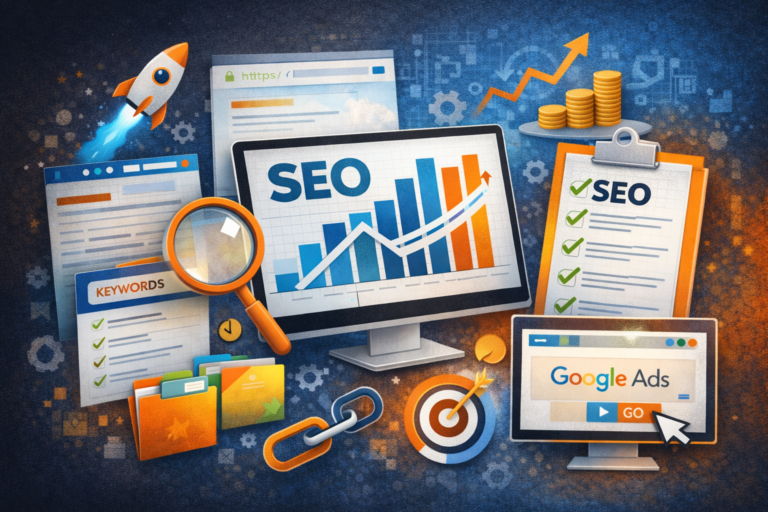
SEO is an important part of digital marketing, but digital marketing covers a much broader range of online promotional activities. SEO focuses primarily on…
Latest Blog Posts
View all articles
Power Strips Explained: Types, Benefits, Uses, and How to Choose the Right One
Modern homes and offices use multiple electrical devices every day, including laptops, computers, televisions, routers, chargers, printers, and other appliances. When wall outlets are…

Choosing the Right Trenching Equipment for Pipeline, OFC, and Solar Infrastructure Projects
The Gaja 100XT Tractor Mounted Trencher is designed for this type of work. It helps contractors create controlled trenches while using a tractor as…

Five Palm Farm House – A Perfect Getaway for Family Picnics and Private Events
Planning a relaxing day out with family or friends? Five Palm Farm House is a name to consider when looking for a private farmhouse…

Developing International Knowledge Through Online Japanese Courses in India
The rise of cross-cultural vocations and job opportunities is making learning a foreign language increasingly essential in the current climate. Japanese are becoming more…

The potential of crab culture as a profitable venture in aquaculture.
Crab culture is a highly sought-after and economically viable crop for aquaculture businesses. As demand for good seafood continues to rise in both domestic…

Premium Plots for Sale in Goa: 12 Checks Every Buyer Should Make
Premium plots for sale in Goa can be suitable for buyers planning a home, a villa or a long-term land purchase. Before selecting a…