
Published: |Last updated:
Listen to this article
Show Quick ReadConcise summary from this article
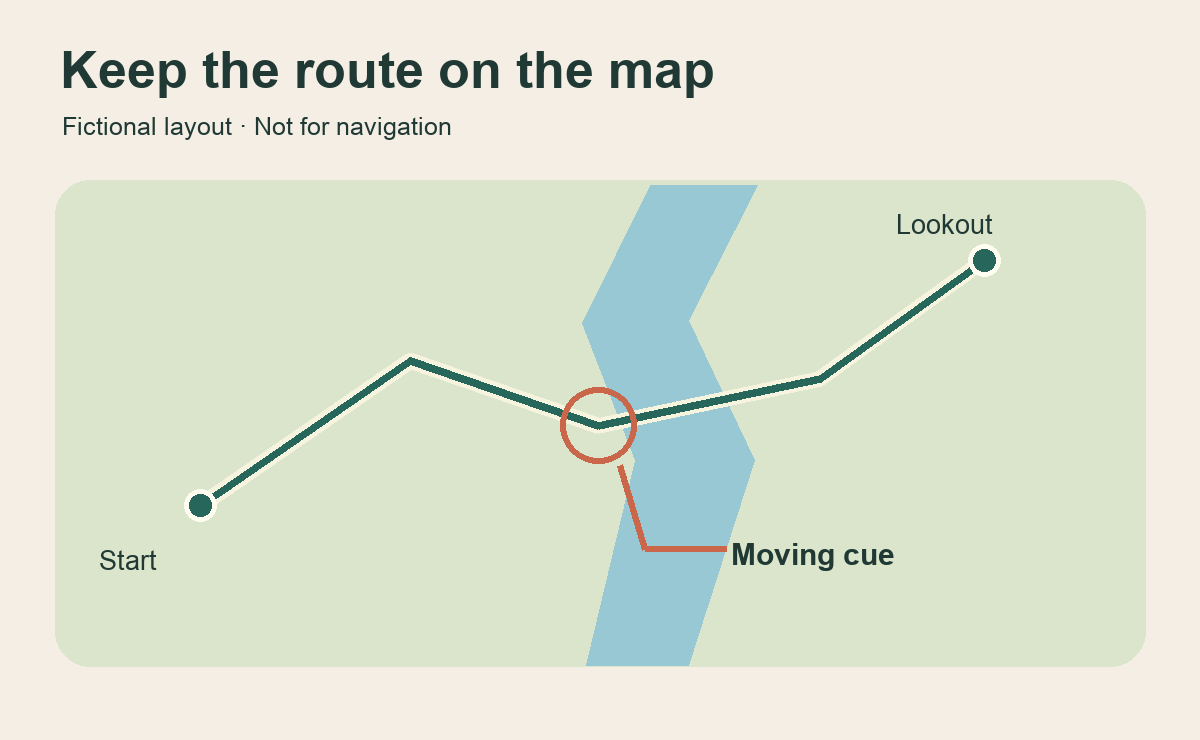
A moving marker can help introduce a travel story, but a map is useful only if readers can still understand its places and route. One way to preserve that clarity is to keep the map itself fixed, add a single motion cue, and place the route labels over the finished video in an editor. The example below is an original, fictional route diagram with generic labels: “Start,” “Stop” and “Finish.”…
Ask AI About This Article
Answers are limited to information in this article.
A moving marker can help introduce a travel story, but a map is useful only if readers can still understand its places and route. One way to preserve that clarity is to keep the map itself fixed, add a single motion cue, and place the route labels over the finished video in an editor.
The example below is an original, fictional route diagram with generic labels: “Start,” “Stop” and “Finish.” It is a visual storytelling exercise, not a description of a real trip or a map for navigation. The proposed clip has not been generated or tested for this article.
This article was prepared by the Flyne AI brand team with AI assistance. Flyne, FLAQ AI and AI VideoWeb are related brands mentioned as optional concept tools.
Build a map that works without motion
Draw a simple background with three abstract landmarks and a line connecting them. Make the path easy to follow in the intended reading direction. Keep text large enough to read on a phone and use an arrow or numbering if color alone would make the order unclear.
Save a static version with all labels and the route visible. This is your fallback for readers who cannot or prefer not to play the clip, and it gives the editor a reference when reviewing the moving version. For a real travel story, verify place names, locations and route details with appropriate current sources before publishing; an AI-generated visual cannot establish whether a route exists or is accessible.
Plan one cue without moving the map
For this example, choose a small pulsing dot near the generic “Stop” point. Its job is to draw attention to that part of the story, not to depict a vehicle traveling an actual road.
Prepare compatible opening and ending images for the visual cue while keeping the map composition consistent. If you use a generated transition, ask for the background and landmarks to remain still. Treat that as an instruction to test, not a guarantee: generation can shift a path, distort small text or move a landmark. Keep the readable route line and labels out of the generation step so you can add them afterwards as a separate overlay.
A short shot plan could be:
- A fixed illustrated background appears.
- One dot gently changes size near the intended stop.
- The dot settles while the same background remains visible.
Do not depend on the generated dot to show a precise location until you have checked it against the static original. If it drifts or overlaps the route, replace it with a simple animated marker in your editor, or use the static diagram.
Add labels after the clip is ready
Import the selected clip into an editor that supports text and graphic overlays. Place the route line, “Start,” “Stop” and “Finish” labels over the picture, using the static reference to check their positions. Keep enough contrast against the background and leave room around the edges for the crop used by your publishing platform.
Then pause at the beginning, middle and end. Compare landmarks against the overlay: does the dot still point to the same feature? Does the line appear to cross a landmark it should avoid? Are words readable at phone size? If the background has shifted, a fixed overlay may no longer align. Revise the clip, animate the overlay to match only if you can do so accurately, or publish the static version instead.
Choose a tool for the asset you have
When you have an illustration and can prepare two compatible endpoints, Flyne AI’s free image to video generator offers an image-guided route. Its free page describes a five-second, 480p clip; provide the opening and ending frames in order. You must have permission to upload and adapt the images, and verification and queue waiting may be involved.
If you have only a written mood or scene idea, FLAQ AI’s free text to video generator is a text-first way to explore a background concept. For a choice between text and two endpoint images, AI VideoWeb’s free AI video generator offers both routes. A generated background is a concept; it does not replace a checked route or reliable place information.
Make the route readable in either format
Before sharing, compare the static image and the finished clip at the size readers will see. Both should communicate the same order, and neither should imply that the fictional diagram can guide a real journey. Keep the static alternative alongside the video and add a clear caption: “Illustrative route; not for navigation.”
A small motion cue can make a story inviting while the fixed, readable diagram does the important work of explaining it.
Promote your articles nowCheck for details
Choose a promotion package
Choose a package below, scan the QR code and pay the displayed amount for 20 days.
After payment, email your article title and payment screenshot to info@yourneeds.asia. Once confirmation is received, one of our administrators will activate the promotion.

Choose where your promoted article receives extra visibility
Promotion changes presentation and placement for the selected period. It does not guarantee traffic, enquiries, search ranking or sales.
Priority visibility in the VIP Lounge, promoted shelves and highlighted article areas.
Top-style highlighting in article directories, homepage feeds and promoted article blocks.
Premium styling across supported article feeds, recommendations and directory placements.
Featured presentation in supported homepage, category, directory and related-article areas.
Build a stronger online presence for your business
Get Your Website for ₹15,000
Are you listed and don't have a website for your business? We can plan, design and launch a responsive website that makes your business easier to understand and contact.
Get My WebsiteSEO Starts from ₹10,000/Month
Improve how your business is presented across Google, local listings and AI-powered search results with ongoing SEO, content and authority-building work.
Improve My VisibilitySuggested Articles
View all articles
Hidden Places in Goa That Most Tourists Don’t Know About
Ask a Goa taxi driver where to go and the answer is almost always Calangute, Baga, or Anjuna. Fair enough. Those beaches earned their…
10 Most Romantic Places to Visit in Kashmir for a Honeymoon
Where do you go when the honeymoon brief is simply mountains, water, and nothing urgent? Kashmir has an answer, though it takes some sorting.…

Best Family-Friendly Places to Visit in Goa
Which Goa are you packing for? The one on Instagram, with beach clubs and 2 am playlists, or the one that works when a…

Famous Portuguese Heritage Sites to Explore in Goa
What if the best thing to do in Goa has no DJ, no shack and no cover charge? Old Goa’s churches, Fort Aguada’s lighthouse…
Latest Blog Posts
View all articles
What Role Do Chartered Accountants Play in Tax Planning?
Tax planning is an important part of managing personal and business finances. Whether someone runs a small business, manages a large company, or earns…

Expanding Health Insurance, Digital Diagnostics and Healthcare Infrastructure Shape Indonesia’s Diagnostic Laboratories Industry
Access to reliable diagnostic testing is becoming increasingly important as Indonesia continues to strengthen its healthcare system. Diagnostic laboratories play a central role in…

Cat8 Ethernet Cable: 40Gbps Speed, Features & Buying Guide
Introduction A fast and reliable internet connection is essential for online gaming, 4K and 8K streaming, large file transfers, office networking and other bandwidth-intensive…

Hospital CEO Priorities in 2027: Key Healthcare Trends and Opportunities for B2B Companies
Reaching hospital CEOs has become an important part of B2B healthcare marketing. As healthcare organizations face shifting financial priorities, technology investments, staffing challenges,…
High-Street Retail vs Corporate Office Towers: Where Is Commercial Capital Moving in 2026?
Delhi-NCR's commercial real estate market is witnessing a change in investment priorities. Investors are paying closer attention to rental income, occupancy levels, tenant stability…
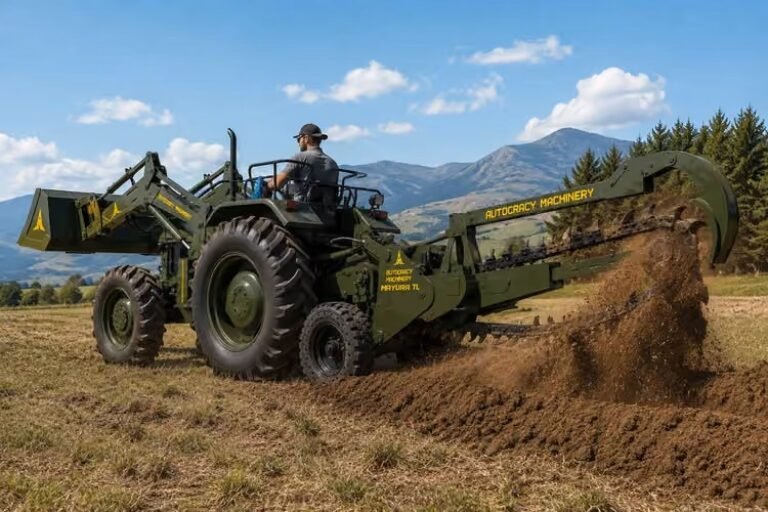
Beyond Digging: How the Mayura TL Connects Trenching and Material Handling
Could one tractor-mounted platform support both trench excavation and on-site material handling? Explore the Mayura TL from Autocracy Machinery, its attachment options, and its…