
Published: |Last updated:
Listen to this article
Show Quick ReadConcise summary from this article
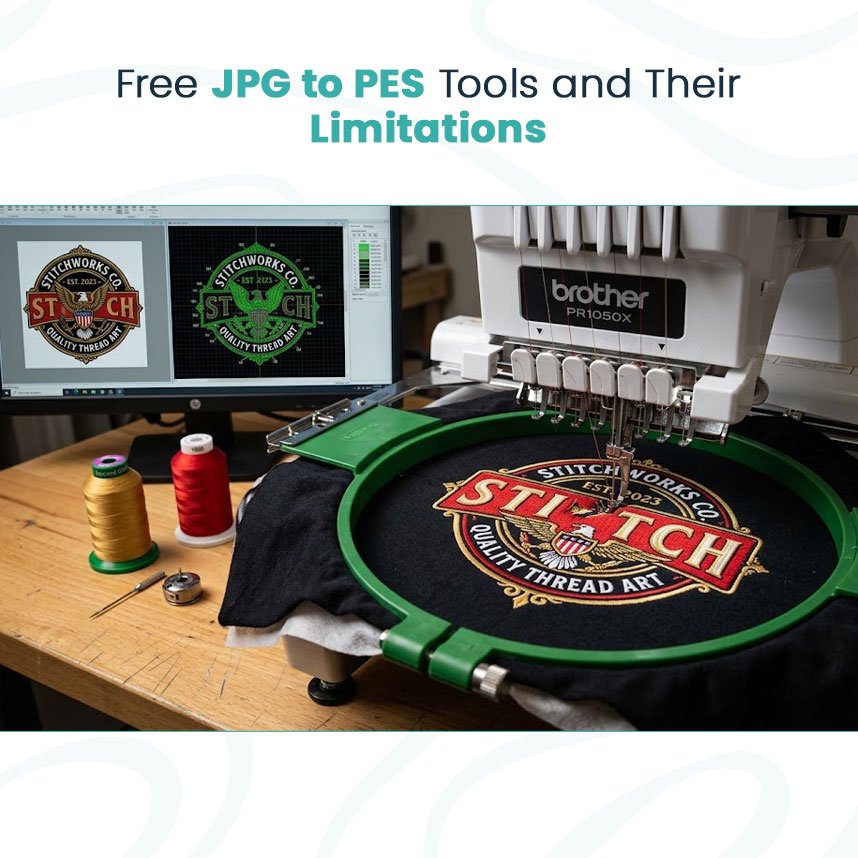
Turning a picture into an embroidery file sounds simple until you see what happens inside the machine. A JPG shows an image, while a PES file tells an embroidery machine exactly how to build that image with thread. That difference is why a basic Convert JPG to PES process may produce a file that looks acceptable on screen but performs poorly during stitching. A jpg to pes converter can handle…
Ask AI About This Article
Answers are limited to information in this article.
Turning a picture into an embroidery file sounds simple until you see what happens inside the machine. A JPG shows an image, while a PES file tells an embroidery machine exactly how to build that image with thread.
That difference is why a basic Convert JPG to PES process may produce a file that looks acceptable on screen but performs poorly during stitching. A jpg to pes converter can handle the initial conversion, but the resulting file may still need careful review.
Why Automatic Conversion Struggles
Most automatic conversion tools work from the visible parts of the picture. They detect colors, edges, and shapes and then try to translate those areas into embroidery objects.
The problem is that embroidery has physical limits.
Thread needs enough space to form properly. Very narrow sections may not stitch well, while large areas can become too heavy if they receive too many stitches.
A converter may not correctly judge:
- Fabric type
- Design size
- Stitch density
- Underlay
- Pull compensation
- Stitch direction
- Small lettering
- Overlapping objects
These factors matter once the needle starts moving through fabric.
Screen Quality Does Not Guarantee Stitch Quality
A high-resolution JPG can still need changes before embroidery. Likewise, a simple-looking logo can become difficult when reduced to a small chest size.
For example, fine outlines may merge together, tiny text may become unreadable, and large filled areas may create stiffness.
The final PES file should therefore be checked based on how it will actually stitch, not just how it looks in embroidery software.
Better Preparation Before Conversion
Before creating the embroidery file, it helps to simplify the artwork.
Consider:
- Removing unnecessary background details
- Cleaning rough edges
- Combining similar colors
- Checking very small elements
- Setting the intended embroidery size
- Identifying details that may need redesign
These steps give the conversion process cleaner artwork to work with.
A JPG-to-PES tool can be a starting point for basic projects, but it should not replace embroidery knowledge. If the design is important for uniforms, branded clothing, hats, or promotional products, the file should be prepared with actual stitching conditions in mind.
The goal is not simply to create a PES extension. The goal is to create an embroidery file that can produce clean, practical stitches.
visit https://scryvehq.com/article/jpg-to-pes-what-free-converters-get-wrong-mtsj6oij
Promote your articles nowCheck for details
Choose a promotion package
Choose a package below, scan the QR code and pay the displayed amount for 20 days.
After payment, email your article title and payment screenshot to info@yourneeds.asia. Once confirmation is received, one of our administrators will activate the promotion.

Choose where your promoted article receives extra visibility
Promotion changes presentation and placement for the selected period. It does not guarantee traffic, enquiries, search ranking or sales.
Priority visibility in the VIP Lounge, promoted shelves and highlighted article areas.
Top-style highlighting in article directories, homepage feeds and promoted article blocks.
Premium styling across supported article feeds, recommendations and directory placements.
Featured presentation in supported homepage, category, directory and related-article areas.
Build a stronger online presence for your business
Get Your Website for ₹15,000
Are you listed and don't have a website for your business? We can plan, design and launch a responsive website that makes your business easier to understand and contact.
Get My WebsiteSEO Starts from ₹10,000/Month
Improve how your business is presented across Google, local listings and AI-powered search results with ongoing SEO, content and authority-building work.
Improve My VisibilitySuggested Articles
View all articles
Annual General Meeting (AGM) Planner in Pakistan
An Annual General Meeting (AGM) is an important corporate event where shareholders, directors, executives, and company representatives come together to discuss business performance, important…

Best Event Planner In Lahore
Finding the best event planner in Lahore can make a major difference when you want an event that is well organized, attractive, and stress-free.…
Best Event Planner In Karachi
Planning a successful event requires creativity, proper organization, and attention to every important detail. In a busy city like Karachi, having the right planning…
Comment Choisir le Bon Film Étirable en Micron pour Vos Besoins d’Emballage
Dans l’emballage industriel, choisir la bonne épaisseur de film étirable est bien plus qu’une simple décision matérielle — cela impacte directement la stabilité des…
Latest Blog Posts
View all articles
Flats for Rent in Hyderabad: Apartments, Tolet, Villas & Independent Houses 2026
Flats for Rent in Hyderabad: Apartments, To-Let Homes, Villas & Independent Houses – Complete 2026 Rental Guide Finding the right Flats for rent in…
Sara777 – Satta Matka Results and Chart Latest Records
Welcome to Sara777, an online platform created to provide easy access to Satta Matka results, charts, market records, and related information in one place.…

How to deposit on allpanel777?
Here is some steps to deposit on allpanel777 are:- Step 1: Start With Your Account To deposit, users should have an active AllPanel777 account.…
How Rhythm & Royalty Fitness Makes Dance Classes in Zirakpur Fun for Every Age Group
Dance has a unique way of bringing people together, no matter their age, fitness level, or experience. With everyone seeking a workout that doesn't…
Getting to Know Ciprofloxacin 500 mg: Uses, Safety and Important Information
[caption id="attachment_8302" align="alignnone" width="300"] Ciprofloxacin 500 mg: Understanding the basics in a simple way.[/caption] Ciprofloxacin 500 mg: Some Basic Points to Consider When one…
Best Tasting Sweet Potato Varieties: Which One Is the Sweetest?
Sweet potatoes are available in many varieties, each with its own balance of sweetness, texture, moisture, and flavor. Some varieties are naturally soft and…