
Published: |Last updated:
Listen to this article
Show Quick ReadConcise summary from this article
Introduction A reliable power supply is essential for keeping security cameras and surveillance systems running continuously. Power cuts or voltage fluctuations can interrupt CCTV monitoring and leave your property unprotected. An 8 Channel CCTV UPS helps provide backup power to compatible CCTV cameras and other supported security devices during electricity failures. Whether you use CCTV cameras at home, in an office, at a shop or in a commercial building, a…
Ask AI About This Article
Answers are limited to information in this article.
Introduction
A reliable power supply is essential for keeping security cameras and surveillance systems running continuously. Power cuts or voltage fluctuations can interrupt CCTV monitoring and leave your property unprotected. An 8 Channel CCTV UPS helps provide backup power to compatible CCTV cameras and other supported security devices during electricity failures.
Whether you use CCTV cameras at home, in an office, at a shop or in a commercial building, a suitable backup system can help maintain surveillance when the main power supply is unavailable. In this guide, we will explore its features, uses, benefits and important factors to consider before purchasing one.
What Is an 8 Channel CCTV UPS?
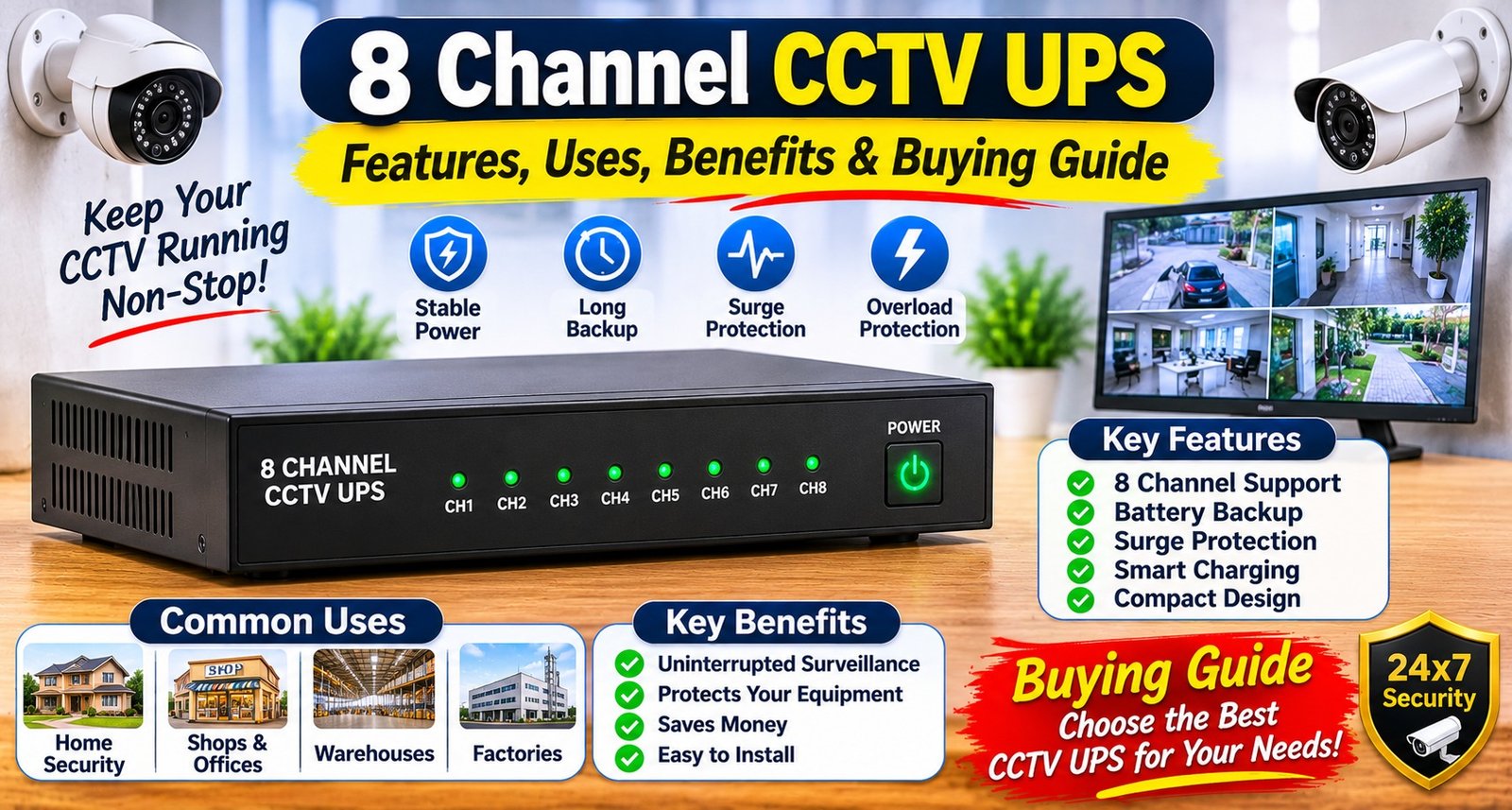
An 8-channel CCTV UPS is a backup power solution designed to supply power to compatible CCTV equipment through multiple output channels. It can support up to eight connected devices, depending on its output configuration and total power capacity.
Unlike a regular power supply, a backup unit includes a rechargeable battery that provides electricity when the main power source fails.
A CCTV Power Backup System helps reduce interruptions in surveillance and supports continuous operation during power outages. However, the actual number of cameras supported depends on their combined power consumption and the UPS specifications.
How Does an 8 Channel CCTV UPS Work?
An 8-channel CCTV UPS generally works in the following way:
Normal Electricity Supply: The UPS receives power from the mains and supplies electricity to connected devices.
Battery Charging: Its internal battery charges while the main power supply is available.
Power Failure: When electricity goes off, the UPS switches to battery power.
Backup Operation: Connected compatible devices continue receiving power until the battery is discharged or the main supply returns.
The switching time and backup duration depend on the product design, battery capacity and connected load.
Key Features of an 8 Channel CCTV UPS
Before selecting a backup system, understand the features that influence its performance.
1. Eight-Channel Output
Multiple output channels allow users to connect several compatible CCTV cameras to one power backup unit. Check the output connectors and supported camera configuration before installation.
2. 12V Power Output
A 12V output is suitable for CCTV equipment that requires a compatible 12V DC power supply. Always check the voltage and polarity requirements of your cameras before connecting them.
3. 8Amp Current Capacity
An 8Amp capacity indicates the maximum current the unit is designed to provide under its specified operating conditions. The total current required by all connected devices should remain within the supported limit.
4. Lithium-Ion Battery
A lithium-ion battery stores electrical energy for backup operation. Its actual backup time depends on battery capacity, battery condition and the total connected load.
5. Zero-Lag Switching
A zero-lag switching design aims to minimise power interruption when the main electricity supply fails. Check the manufacturer’s specifications for the actual switching performance.
6. Over-Current Protection
Over-current protection helps protect the power supply and connected equipment against excessive current conditions. It adds an important layer of electrical protection.
Uses of an 8 Channel CCTV UPS
An 8-channel backup unit can be useful in different environments where uninterrupted surveillance is important.
Homes: Helps keep compatible security cameras powered during electricity cuts.
Offices: Supports surveillance systems used for monitoring workplaces.
Retail Shops: Helps maintain camera operation in stores and showrooms.
Warehouses: Supports security monitoring in storage and inventory areas.
Commercial Buildings: Provides backup power for compatible surveillance installations.
Small Businesses: Helps reduce monitoring interruptions caused by power failures.
Benefits of Using an 8 Channel CCTV UPS
1. Reduced Surveillance Interruptions
A backup power system helps keep compatible cameras operational when the main electricity supply is interrupted.
2. Centralised Power Backup
Multiple compatible cameras can receive backup power from one unit, reducing the need for separate backup arrangements.
3. Improved Security Monitoring
Maintaining camera power during outages can help reduce gaps in surveillance coverage.
4. Convenient Installation
A multi-channel unit can simplify power management for installations with several cameras, provided its connectors and electrical ratings match the equipment.
5. Battery-Based Backup
Its rechargeable battery provides temporary power during electricity failures, helping support surveillance until the main supply returns.
8 Channel CCTV UPS vs Regular UPS
Feature
8 Channel CCTV UPS
Regular UPS
Main Purpose
CCTV power backup
General electronic backup
Output
Designed for compatible CCTV equipment
Depends on UPS model
Connection
Multiple DC output channels may be available
Commonly AC output sockets
Installation
Suitable for CCTV power arrangements
Used with computers and other devices
Compatibility
Depends on voltage and current requirements
Depends on output and device requirements
A CCTV UPS is designed for compatible surveillance equipment, while a regular UPS may be more suitable for devices that require AC power. Choose according to your equipment’s power requirements.
How to Choose the Right 8 Channel CCTV UPS
Consider these factors before purchasing a CCTV backup system.
1. Check Camera Compatibility
Confirm that your cameras require 12V DC power if you are selecting a 12V UPS. Also check connector type and polarity.
2. Calculate Total Power Consumption
Check the current requirement of every connected camera. Add their consumption to determine whether the UPS can support the complete setup.
3. Review Battery Capacity
Battery capacity affects how long connected devices can operate during a power failure. Select a suitable capacity according to your expected backup requirements.
4. Look for Safety Protection
Features such as over-current protection can help reduce electrical risks. Also review the manufacturer’s safety and operating instructions.
5. Check Switching Performance
If uninterrupted monitoring is important, review the switching specifications and confirm whether the unit is suitable for your surveillance setup.
6. Consider Build Quality and Warranty
Choose a product with reliable construction, clear specifications and a suitable warranty. Check the availability of customer support and replacement assistance.
Installation and Maintenance Tips
Follow these basic practices to maintain reliable performance:
Install the UPS in a dry, well-ventilated location.
Keep the unit away from direct sunlight and excessive heat.
Use compatible cables and connectors.
Check polarity before connecting cameras.
Avoid exceeding the maximum supported current.
Inspect cables and connections periodically.
Follow the manufacturer’s battery charging instructions.
Test backup operation at regular intervals.
For complex installations, consider professional assistance to avoid incorrect wiring or electrical damage.
Common Mistakes to Avoid
Avoid these mistakes when purchasing or using a CCTV UPS:
Connecting cameras with an incompatible voltage requirement.
Exceeding the maximum current capacity.
Assuming that eight channels guarantee support for every eight-camera setup.
Ignoring battery capacity when estimating backup time.
Using damaged or unsuitable cables.
Installing the unit in a poorly ventilated location.
Skipping periodic backup testing.
Checking compatibility and power requirements before installation can help prevent these problems.
Conclusion
An 8-channel CCTV UPS is a useful backup solution for surveillance systems that require reliable power during electricity interruptions. Features such as 12V output, 8Amp current capacity, lithium-ion battery technology, zero-lag switching and over-current protection can make it suitable for compatible CCTV installations.
Before purchasing, check the voltage, total current requirement, battery capacity, connectors and switching specifications. Selecting the right backup unit can help maintain surveillance and reduce interruptions during power failures.
Frequently Asked Questions (FAQs)
1. What is an 8 Channel CCTV UPS?
It is a backup power unit designed to supply electricity to multiple compatible CCTV devices through its available output channels.
2. How many cameras can an 8-channel CCTV UPS support?
It is designed for up to eight compatible connections, but the actual supported number depends on total power consumption and output configuration.
3. Is a 12V CCTV UPS suitable for all security cameras?
No. It is suitable only for cameras that support the required 12V input and compatible connector polarity.
4. What does 8Amp mean in a CCTV UPS?
It refers to the maximum supported current capacity under the specified operating conditions.
5. How long does a CCTV UPS provide backup?
Backup time depends on battery capacity, battery condition and the power consumption of connected devices.
6. Does a CCTV UPS work during power cuts?
Yes. Its battery supplies backup power when the main electricity supply is unavailable, provided the battery is charged and the connected load is within limits.
7. What is zero-lag switching?
It describes a switching design intended to minimise interruption when the main power supply fails.
8. Why is over-current protection important?
It helps protect the power supply and connected equipment against excessive current conditions.
9. Can I connect a DVR to an 8-channel CCTV UPS?
Only if the UPS provides a compatible output and sufficient capacity for the DVR. Check its voltage and power requirements before connecting it.
10. Is a CCTV UPS better than a regular UPS?
For compatible CCTV installations, a dedicated CCTV UPS can offer convenient DC power connections. A regular UPS may be more suitable for equipment requiring AC backup.
11. Does a CCTV UPS charge automatically?
Many rechargeable CCTV UPS models charge their batteries when connected to the main power supply. Confirm this feature in the product specifications.
12. Can I use a CCTV UPS for a Wi-Fi router?
Yes, if the UPS provides the router’s required voltage, current, connector and polarity.
13. How can I improve CCTV UPS battery life?
Follow the recommended charging instructions, avoid excessive heat and overloading, and maintain the unit according to the manufacturer’s guidelines.
14. What should I check before buying a CCTV UPS?
Check output voltage, current capacity, battery capacity, channel configuration, safety features, compatibility and warranty.
15. Is an 8-channel CCTV UPS suitable for home use?
Yes. It can be suitable for home surveillance systems when the connected cameras and other supported devices meet the UPS power specifications.
Promote your articles nowCheck for details
Choose a promotion package
Choose a package below, scan the QR code and pay the displayed amount for 20 days.
After payment, email your article title and payment screenshot to info@yourneeds.asia. Once confirmation is received, one of our administrators will activate the promotion.

Choose where your promoted article receives extra visibility
Promotion changes presentation and placement for the selected period. It does not guarantee traffic, enquiries, search ranking or sales.
Priority visibility in the VIP Lounge, promoted shelves and highlighted article areas.
Top-style highlighting in article directories, homepage feeds and promoted article blocks.
Premium styling across supported article feeds, recommendations and directory placements.
Featured presentation in supported homepage, category, directory and related-article areas.
Build a stronger online presence for your business
Get Your Website for ₹15,000
Are you listed and don't have a website for your business? We can plan, design and launch a responsive website that makes your business easier to understand and contact.
Get My WebsiteSEO Starts from ₹10,000/Month
Improve how your business is presented across Google, local listings and AI-powered search results with ongoing SEO, content and authority-building work.
Improve My VisibilitySuggested Articles
View all articles
HDMI to VGA Cable Adapter: Uses, Benefits & How to Choose the Right One
Introduction Connecting a modern computer or laptop to an older monitor or projector can sometimes be challenging because different devices use different display ports.…
Networking Tools: Types, Uses, Benefits & How to Choose the Right Networking Tools
Introduction A reliable computer network is essential for homes, offices, schools, data centers, and businesses. Whether you are setting up an internet connection, installing…

Guitar Jack Cable: Types, Uses, Benefits & How to Choose the Right Instrument Cable
Music is all about clear sound, smooth performance and reliable equipment. Whether you are playing an electric guitar, bass guitar, keyboard or another musical…

Type C to VGA Adapter: Uses, Benefits & How to Connect Your Devices to a Monitor or Projector
Introduction Connecting a modern laptop, tablet or smartphone to an older monitor or projector can sometimes be challenging because different devices use different display…
Latest Blog Posts
View all articles
Press Release Distribution in Bahrain - Grow Your Brand with MENAWireNOW
Bahrain is an important business destination in the Middle East, offering opportunities across finance, technology, healthcare, real estate, tourism, and other growing industries. For…

The Future of Real Estate in Delhi NCR: Top Corridors and Investment Hotspots
Delhi NCR is entering a new phase of real estate development. Large infrastructure projects, expanding public transport networks and improving airport connectivity are changing…

Event Organizer in Karachi: Creating Memorable Events with Professional Planning
Organizing a successful event requires creativity, proper coordination, and attention to detail. Whether you are planning a corporate gathering, wedding celebration, birthday party, or…

What Does the Best Wedding Planner Actually Do? From First Call to Walima
Many people picture a wedding planner as someone who chooses flowers and holds a clipboard. The reality is far more detailed, and most of…

What Should You Check Before Buying a Jasmine Farmhouse in Naugaon?
[caption id="attachment_9509" align="alignnone" width="300"] Jasmin Farms[/caption] Buying a farmhouse plot is different from purchasing an apartment in a residential society. The buyer…

Is Travomint a Legitimate OTA?
When booking flight tickets online, choosing a legitimate and reliable travel agency is essential. Travelers want a platform that offers convenient reservations, competitive fares,…