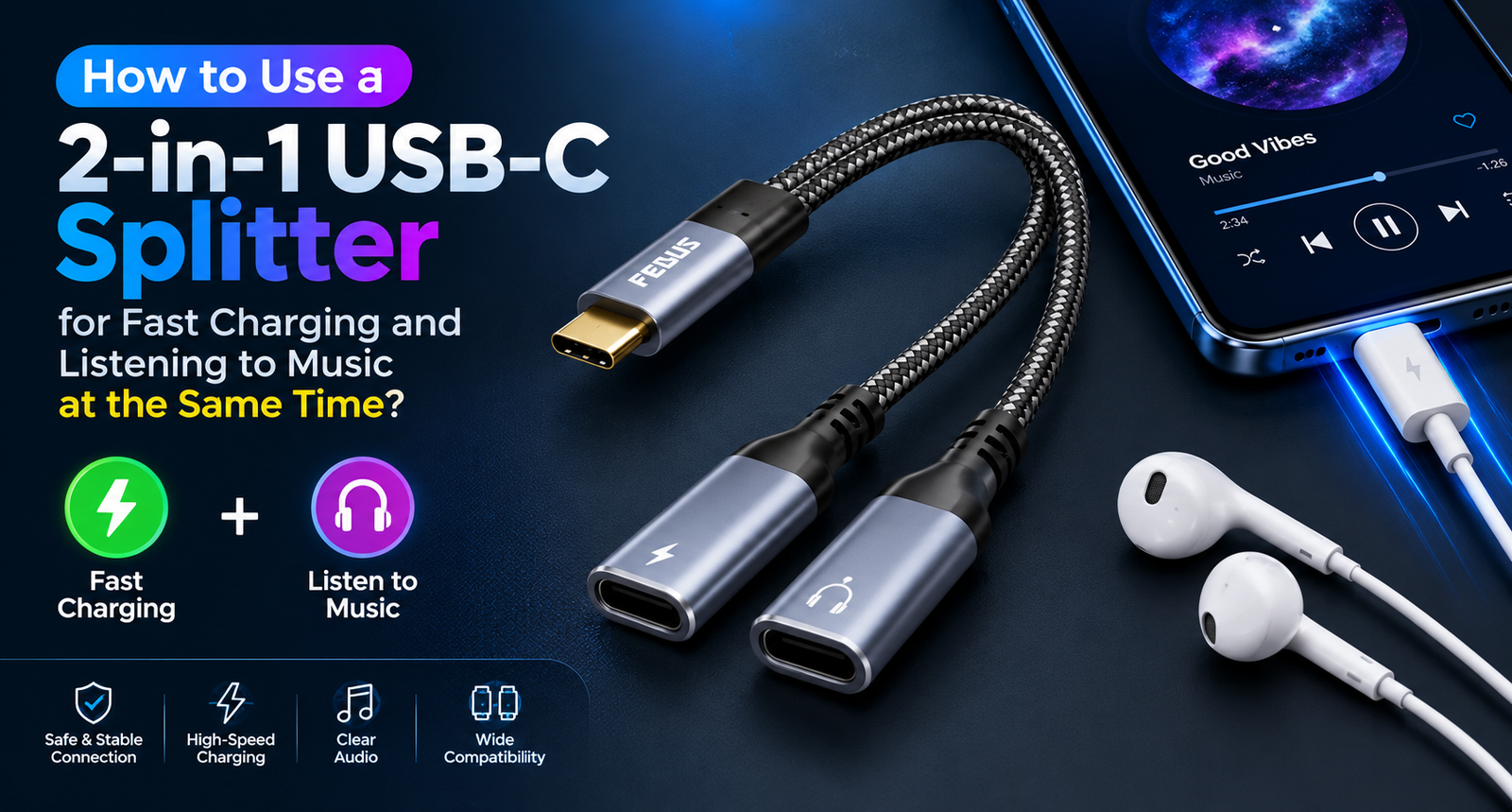
How to Use a 2-in-1 USB-C Splitter for Fast Charging and Listening to Music at the Same Time?

Published: |Last updated:
Listen to this article
Show Quick ReadConcise summary from this article
Modern smartphones, tablets, and other USB-C devices often come with a single USB-C port for charging and audio accessories. This can become inconvenient when you want to listen to music through wired headphones while charging your device simultaneously. A dual-function adapter offers a practical solution by allowing you to connect compatible headphones and a charging cable through one port. A 2-in-1 USB-C Splitter is designed to make everyday device usage…
Ask AI About This Article
Answers are limited to information in this article.
Modern smartphones, tablets, and other USB-C devices often come with a single USB-C port for charging and audio accessories. This can become inconvenient when you want to listen to music through wired headphones while charging your device simultaneously. A dual-function adapter offers a practical solution by allowing you to connect compatible headphones and a charging cable through one port.
A 2-in-1 USB-C Splitter is designed to make everyday device usage more convenient by combining audio connectivity and charging support in one compact accessory. Whether you are listening to music, attending online meetings, watching videos, or playing games, this type of adapter can help you use your device without constantly switching connections.
In this guide, you will learn how to use a USB-C audio and charging splitter, how it works, which devices may be compatible, and what to check before purchasing one.
What Is a 2-in-1 USB-C Splitter?
A USB-C splitter is an accessory that connects to a compatible USB-C port and provides two separate connection points for specific functions. In a model designed for audio and charging, one connection supports compatible USB-C headphones or audio accessories, while the other accepts a USB-C charging cable.
A USB-C Audio Adapter can be useful for smartphones that do not have a dedicated 3.5 mm headphone jack. Instead of choosing between wired audio and charging, users can connect supported accessories through the same USB-C port.
However, not every USB-C splitter supports audio output, charging, and every device. Always check the product specifications and compatibility information before using an adapter.
How to Use a USB-C Splitter for Charging and Listening to Music
Setting up an audio-and-charging splitter is generally straightforward. Follow these steps to get started.
Step 1: Connect the Splitter to Your Device
Insert the adapter’s USB-C connector into the USB-C port of your compatible smartphone, tablet, or other supported device. Make sure the connector is fully inserted and the port is clean and undamaged.
Step 2: Connect Your Wired Headphones
Plug your compatible USB-C headphones into the audio connection. If your headphones use a 3.5 mm connector, you may need an additional compatible USB-C-to-3.5 mm audio adapter, depending on the splitter’s design.
Step 3: Connect Your Charging Cable
Connect a compatible USB-C charging cable and supported power source to the charging connection. Your device should begin charging if the adapter, cable, charger, and device support the required charging protocol.
Step 4: Play Music or a Video
Open your preferred music or video application and start playback. Check that the sound is coming through your connected headphones. If audio does not work, disconnect and reconnect the adapter, check the audio output settings, and confirm that the headphones are compatible.
Step 5: Check Charging Performance
Look at your device’s charging indicator to confirm that power is being received. Charging speed depends on the phone or tablet, power adapter, cable, splitter, and supported charging protocols.
This setup allows compatible devices to charge while playing audio, making it useful for travel, work, entertainment, and everyday use.
What Are the Main Benefits of an Audio and Charging Adapter?
A combined adapter can offer several practical advantages.
Listen and Charge Simultaneously
The biggest advantage is convenience. You can keep your wired headphones connected while charging your device, rather than unplugging one accessory to use the other.
Keep Your Setup Compact
A USB-C Headphone and Charger Adapter combines two functions in one accessory. Its compact design can help reduce the number of separate accessories you need to carry in your bag, backpack, or pocket.
Enjoy Wired Audio
Wired headphones can be useful for calls, online classes, video meetings, gaming, and music playback. A compatible splitter lets you continue using supported wired audio accessories while your device receives power.
Improve Everyday Convenience
A splitter can be particularly helpful during long journeys, extended video calls, online learning sessions, and other activities that involve both audio playback and frequent charging.
Does a Type-C Splitter Support 60W Fast Charging?
Some audio-and-charging splitters advertise support for charging power up to 60W. However, the advertised maximum does not mean every connected device will charge at 60W.
A 60W PD Fast Charging Adapter must work with a compatible USB Power Delivery charger, charging cable, connected device, and adapter circuitry to achieve the supported charging rate.
Actual charging speed can vary because of:
- The maximum charging power supported by your smartphone or tablet.
- The charger’s USB Power Delivery output.
- Cable quality and power rating.
- The splitter’s power-handling capabilities.
- Battery temperature, battery level, and device power-management settings.
For example, a phone that supports a lower charging rate will not automatically charge at 60W simply because the connected accessory advertises 60W support.
Before purchasing, verify whether the stated 60W rating represents supported input power, pass-through charging power, or another specification provided by the manufacturer.
What Is the Difference Between a USB-C Splitter and a Regular Charging Adapter?
A regular charging adapter typically provides a connection for supplying power to a device. An audio-and-charging splitter is designed to support two functions through a single USB-C port.
A Type-C Splitter Cable may have a short cable or a compact plug-in design, depending on the model. Its primary purpose is to make the required connections available at the same time.
A Dual USB-C Adapter may feature two USB-C sockets, but the presence of two sockets does not guarantee that both support audio and charging. Some adapters provide charging only, while others support specific combinations of data, audio, and power.
Similarly, a USB-C Charging Dongle should not be assumed to support every USB-C accessory. USB-C describes the connector type, but supported functions depend on the adapter’s internal hardware and device compatibility.
Choose an accessory specifically designed for simultaneous audio playback and charging if you need both functions.
Is a USB-C Audio Splitter Compatible with iPhone 16 Pro Max and Galaxy S25?
Compatibility depends on the specific adapter model and the USB-C audio and charging capabilities of the connected device.
iPhone 16 Pro Max
A compatible USB-C Adapter for iPhone 16 Pro Max can help users connect supported USB-C audio accessories while charging their phone. Before using a splitter, check its supported iPhone models, audio output requirements, and power-delivery specifications.
Samsung Galaxy S25
A compatible USB-C Adapter for Galaxy S25 may provide simultaneous audio and charging functionality when the adapter supports the phone’s USB-C audio requirements and charging protocol.
Other Smartphones and Tablets
Some adapters may also work with compatible Google Pixel phones, iPad Pro models, handheld gaming devices, and other USB-C products. Compatibility is not universal, so check the manufacturer’s supported-device list before connecting the accessory.
Even when a device has a USB-C port, it may not support every adapter function. Confirm both audio compatibility and charging support rather than relying on the connector shape alone.
Common Problems and How to Fix Them
If the splitter does not work as expected, try the following troubleshooting steps.
No sound from headphones: Confirm that the headphones and splitter support compatible USB-C audio output. Reconnect the adapter and check your device’s audio output settings.
Device is not charging: Test the charging cable and power adapter separately. Check that the splitter supports power pass-through and that the charger meets the device’s requirements.
Charging is slower than expected: Verify the charger’s output, cable rating, device charging limit, and splitter specifications. The advertised maximum charging power may not be available in every setup.
Audio cuts out during use: Inspect the connectors for loose connections or debris. Try compatible headphones and avoid putting excessive pressure on the adapter.
Adapter is not recognized: Check the manufacturer’s compatibility information and update your device software if appropriate. If the accessory remains unresponsive, contact the manufacturer or seller.
How to Choose the Right USB-C Audio and Charging Splitter
Before selecting an adapter, consider the following factors.
- Dual functionality: Make sure the product explicitly supports simultaneous audio output and charging.
- Charging power: Check the maximum supported power and USB Power Delivery compatibility.
- Device compatibility: Confirm that your smartphone, tablet, or gaming device is listed as supported.
- Audio compatibility: Verify support for your particular headphones or audio accessory.
- Build quality: Look for durable connectors, reliable cable construction, and suitable strain relief.
- Ease of use: A lightweight, compact design is useful for travel, commuting, and daily use.
- Manufacturer specifications: Review the product documentation for limitations, supported protocols, and warranty details.
Choosing an adapter based on verified specifications can help prevent compatibility issues and deliver a more convenient user experience.
Conclusion
A USB-C audio-and-charging splitter can be a useful accessory for people who want to listen to music, attend calls, watch videos, or play games while keeping a compatible device charged. By combining audio connectivity and charging in one compact accessory, it offers a practical solution for devices with a single USB-C port.
Before choosing a splitter, verify its supported devices, audio functionality, charging specifications, and power-delivery compatibility. These checks can help you select an accessory that suits your everyday needs and provides a reliable experience.
For users who regularly need both wired audio and charging, a compatible 2-in-1 adapter can make daily device use simpler and more convenient.
Frequently Asked Questions (FAQs)
1. Can I listen to music while charging my phone with a USB-C splitter?
Yes, a compatible audio-and-charging splitter can support wired audio playback and charging simultaneously, provided the phone and connected accessories support both functions.
2. Does a USB-C splitter reduce charging speed?
It may affect charging performance depending on its design, supported power rating, and compatibility with the charger and device. Check the manufacturer’s specifications for actual power pass-through support.
3. Will every USB-C splitter work with USB-C headphones?
No. Some USB-C adapters support charging only, while others support audio. Verify that the splitter supports your headphone type and your device’s audio requirements.
4. Can I use a 60W charger with an audio splitter?
You can use a 60W charger if the adapter supports the charger’s output and the device is compatible. The actual charging rate will depend on the capabilities of every component in the setup.
5. Is a USB-C audio and charging adapter useful for gaming?
Yes. It can be useful for compatible gaming devices when you want to use wired audio while keeping the device charged. Check support for your particular console or handheld device.
6. Can I use this type of adapter with an iPad Pro?
Potentially, yes. The specific iPad Pro model and splitter must support the required audio and charging functions. Check the manufacturer’s compatibility list before use.
7. Why does my phone charge but the headphones do not work?
The adapter may support charging without supporting audio, or the headphones may require a different audio interface. Check the product specifications and test with a known-compatible audio accessory.
8. Can a USB-C splitter damage my phone?
A properly designed, compatible adapter used according to its instructions should operate within its supported limits. Choose a reliable product and discontinue use if it overheats, has damaged connectors, or behaves abnormally.
9. Does a USB-C splitter support calls and online meetings?
It can support calls and meetings if the adapter and connected headset support the required audio functions, including microphone input where needed. Not every splitter supports microphone functionality.
10. What should I check before buying a USB-C audio splitter?
Confirm simultaneous audio and charging support, charging power, device compatibility, headphone compatibility, build quality, and warranty information.
Promote your articles nowCheck for details
Choose a promotion package
Choose a package below, scan the QR code and pay the displayed amount for 20 days.
After payment, email your article title and payment screenshot to info@yourneeds.asia. Once confirmation is received, one of our administrators will activate the promotion.
Choose where your promoted article receives extra visibility
Promotion changes presentation and placement for the selected period. It does not guarantee traffic, enquiries, search ranking or sales.
Priority visibility in the VIP Lounge, promoted shelves and highlighted article areas.
Top-style highlighting in article directories, homepage feeds and promoted article blocks.
Premium styling across supported article feeds, recommendations and directory placements.
Featured presentation in supported homepage, category, directory and related-article areas.
Build a stronger online presence for your business
Get Your Website for ₹15,000
Are you listed and don't have a website for your business? We can plan, design and launch a responsive website that makes your business easier to understand and contact.
Get My WebsiteSEO Starts from ₹10,000/Month
Improve how your business is presented across Google, local listings and AI-powered search results with ongoing SEO, content and authority-building work.
Improve My VisibilitySuggested Articles
View all articles
Gayatri Psyllium Industries: Premium Psyllium Husk & Psyllium Husk Powder Manufacturer in India
Looking for a reliable Psyllium Husk Manufacturer in India or an experienced Psyllium Husk Exporter for bulk and international requirements? Gayatri Psyllium Industries, based…

5 Baby Lock Embroidery Machines Small Businesses Actually Use for Custom Orders
Most shop owners buy their first multi-needle machine twice. The first one fits the budget, and the second one fits the orders. Baby Lock…

How to Budget for Buying Plots for sale in Goa and Building a Home?
When assessing Plots for sale in Goa, buyers should calculate more than the advertised land price. The total budget may include transaction charges, legal…
Tadalafil 20 mg: Uses, Advantages, Effects and Safety Profile
Tadalafil 20 mg is a drug usually taken for the treatment of erectile dysfunction (ED) in adults. Erectile dysfunction refers to the inability of…
Latest Blog Posts
View all articles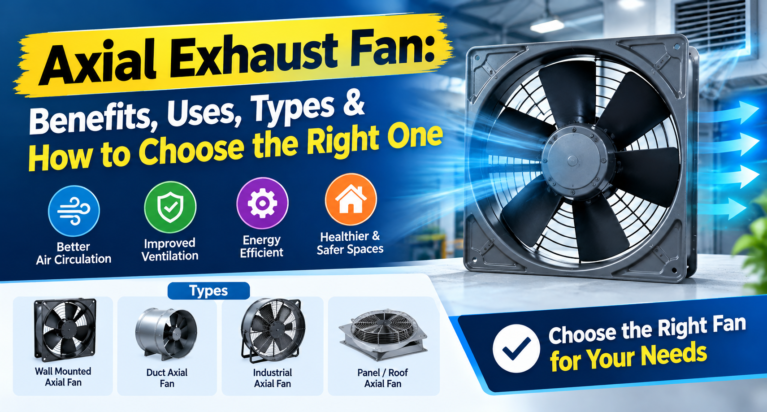
Axial Exhaust Fan: Benefits, Uses, Types & How to Choose the Right One
Introduction Proper ventilation is essential for maintaining comfortable indoor spaces, improving air circulation, and removing unwanted heat, odours, and stale air. Whether you manage…

The Grand Marquee Wedding Planner Karachi: Making the Most of Internal Catering
When a venue has its own kitchen, one of the biggest decisions in your wedding is already half made. The menu will come from…

Euro Disney Transfers from CDG: Complete Transportation Guide & Booking Options
Arriving at Charles de Gaulle Airport is an exciting first step to your Disneyland Paris holiday. But once you land, collect your luggage, and…

Where Can You Find the Best Plots for Sale in Goa for Your Future Home?
Goa is an appealing destination for buyers who want to build a permanent home, create a holiday retreat, or purchase land for future use.…

Event Management Companies: How to Choose the Right Team for a Successful Event in 2026
Planning a successful event requires more than choosing a beautiful venue and inviting guests. From coordinating vendors and managing budgets to arranging decorations, entertainment,…

Sara777: Exploring Market Charts, Records and Online Information
Understanding online chart information starts with knowing how different categories are organized and what the displayed records represent. Sara777 is a search term associated…