

Published: |Last updated:
Listen to this article
Show Quick ReadConcise summary from this article
A day to day business needs several things to figure out to run a business smooth and effectively. Invoicing is one of the crucial element to handle sales and book keeping. Invoicing is an important part of this process because it helps with sales management and bookkeeping. Invoice Temple simplifies the process of producing, sending, and collecting invoice payments. In this article, we'll walk you through how to make your…
Ask AI About This Article
Answers are limited to information in this article.
A day to day business needs several things to figure out to run a business smooth and effectively. Invoicing is one of the crucial element to handle sales and book keeping. Invoicing is an important part of this process because it helps with sales management and bookkeeping. Invoice Temple simplifies the process of producing, sending, and collecting invoice payments. In this article, we’ll walk you through how to make your first invoice with Invoice Temple.
We are going to see how easily create invoices, send it to clients and get faster payments.
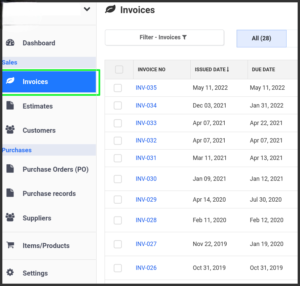
1.Go to Invoices on the left menu
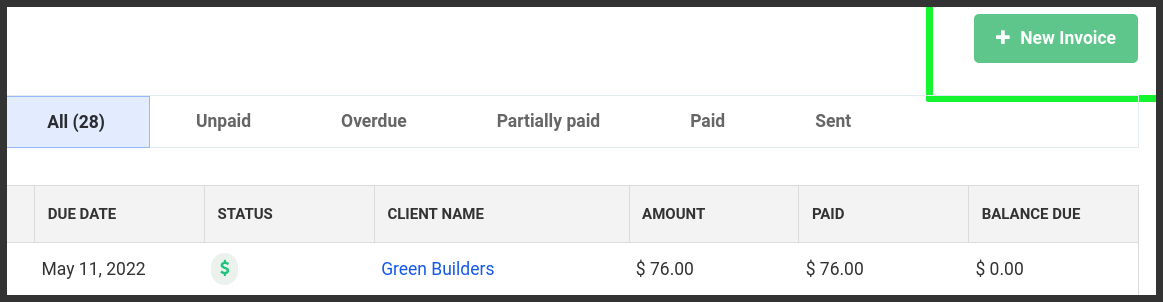
2. Click New invoice button
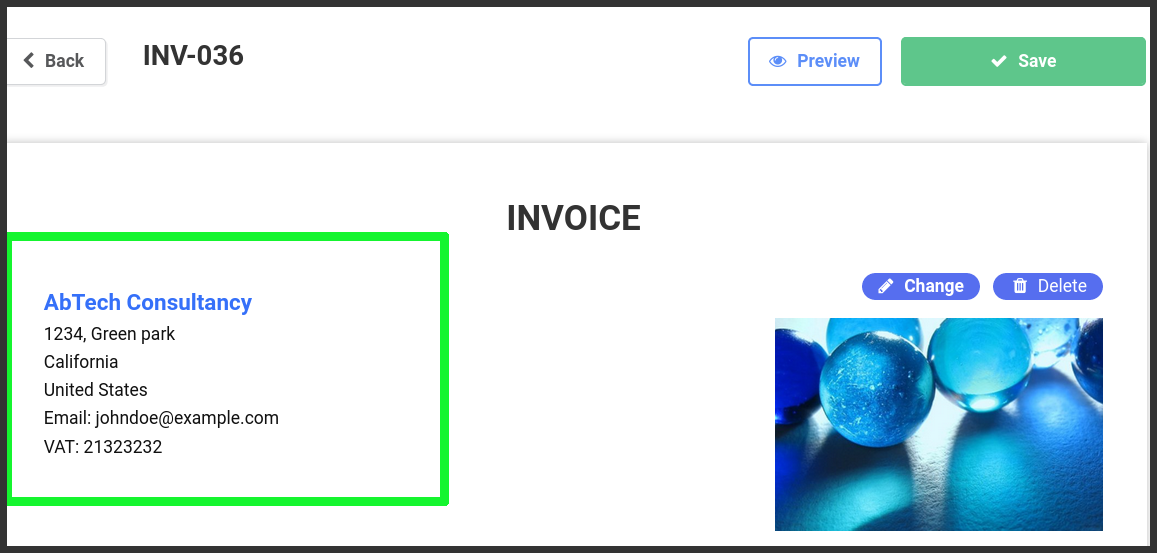
3. Open invoice Editor window.
Enter Business address on the invoice. No need to enter again from the next time on wards.
4. Add logo on click on the right side of the address
5. Client
* Add new client
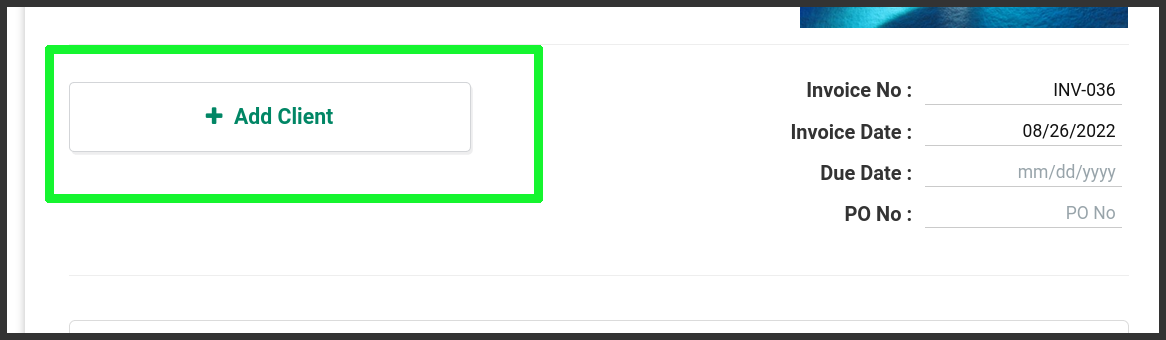
* Provide your client name, address, phone no, email etc.
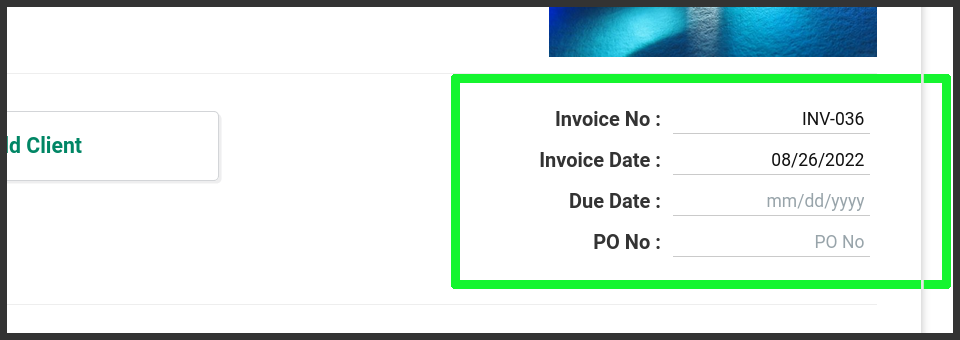
6. Invoice Details
Provide input of your invoice’s invoice number, invoice date, due date(optional)
7. Items
Add your products on the item table one by one.
Click on the (+) button to add product/item to the invoice.
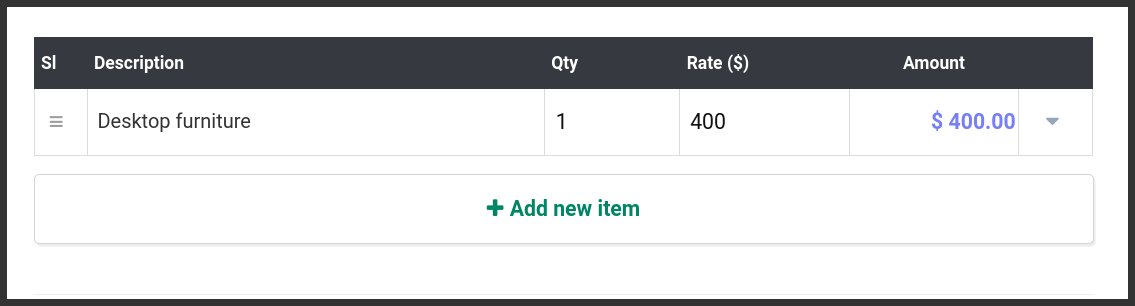
Description: Product or service name that you wish to sell
Qty: Number of items
Rate: Rate/Price of the product
8. Payment instruction.
Payment instructions helpful to specify the payment method that you receive the invoice payment from the customer.
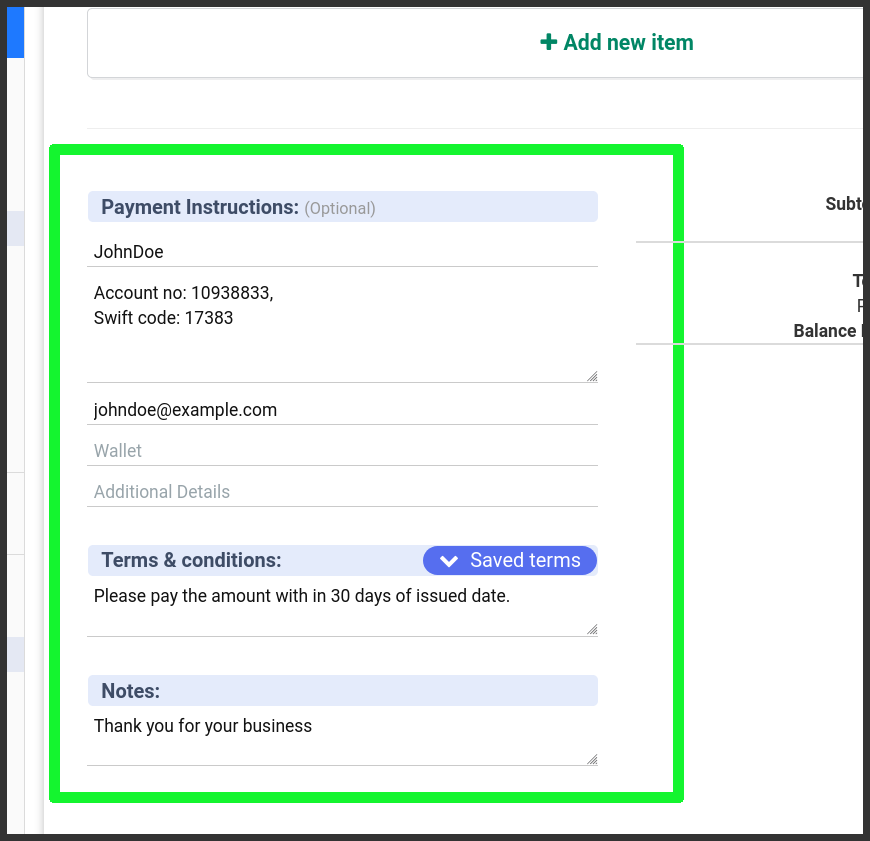
Most commonly used payment methods are available such as Cheque, Bank account no., PayPal, Wallets (Google pay, apple pay, phonepe, etc..) and add additional information that can help the client understand your payment instruction with more clarity.
9. Terms & Conditions
Tell your customers your terms.
Some examples:
- Pay the invoice amount in certain amount of time like before 15, 30 days.
- Refund available or not available once shipped.
- Return accepts in within 5 days after delivery of the product.
- etc.
Notes: Add notes to your customers.
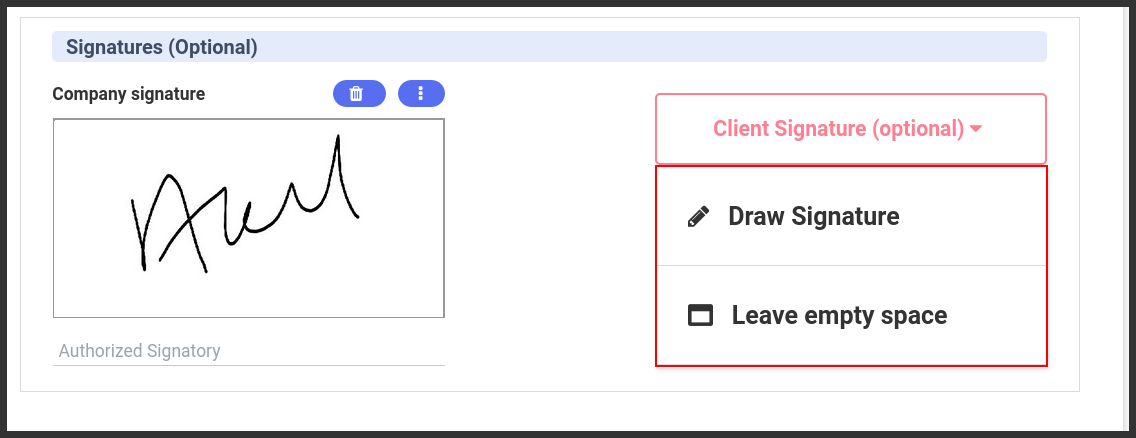
10. Signature: (optional)
You can draw your own signature and get digital signature from the customers also if necessary.
Final Step:
Preview and save the invoice.
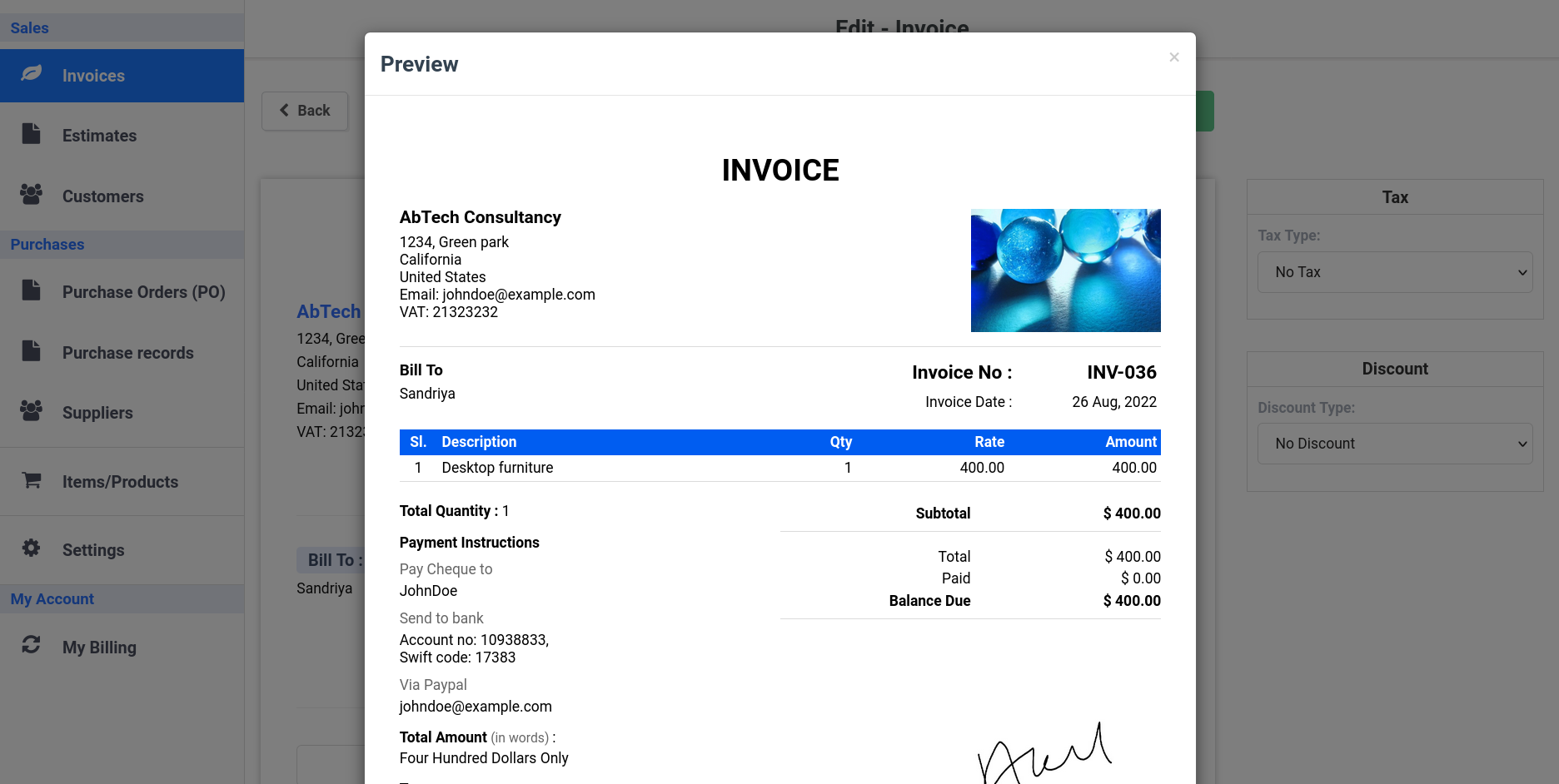
Once the invoice is saved and it ready to send to your customer. Invoice can be send via email or you can download the invoice by yourself.
Additional Tips for Effective Invoicing
- Automate Recurring Invoices: For clients with ongoing services or subscriptions, set up recurring invoices to streamline the billing process.
- Track Invoice Status: Monitor the status of your invoices to ensure timely payments. Follow up on overdue invoices promptly.
- Provide Multiple Payment Options: Offering various payment methods increases the chances of receiving payments on time.
- Maintain Professionalism: Ensure your invoices are well-organized and professional-looking to reflect positively on your business.
- Keep Records: Maintain detailed records of all invoices for accounting and tax purposes.
By following these steps and utilizing InvoiceTemple’s features, you can simplify your invoicing process, improve cash flow, and maintain a professional relationship with your clients. Start creating your first invoice today and experience the efficiency of Invoice Temple.
Thanks.
Promote your articles nowCheck for details
Choose a promotion package
Choose a package below, scan the QR code and pay the displayed amount for 20 days.
After payment, email your article title and payment screenshot to info@yourneeds.asia. Once confirmation is received, one of our administrators will activate the promotion.

Choose where your promoted article receives extra visibility
Promotion changes presentation and placement for the selected period. It does not guarantee traffic, enquiries, search ranking or sales.
Priority visibility in the VIP Lounge, promoted shelves and highlighted article areas.
Top-style highlighting in article directories, homepage feeds and promoted article blocks.
Premium styling across supported article feeds, recommendations and directory placements.
Featured presentation in supported homepage, category, directory and related-article areas.
Build a stronger online presence for your business
Get Your Website for ₹15,000
Are you listed and don't have a website for your business? We can plan, design and launch a responsive website that makes your business easier to understand and contact.
Get My WebsiteSEO Starts from ₹10,000/Month
Improve how your business is presented across Google, local listings and AI-powered search results with ongoing SEO, content and authority-building work.
Improve My VisibilitySuggested Articles
View all articles
NRI Income Tax Return Filing in India | NRI ITR Services
NRI Income Tax Return Filing in India: A Complete Guide for NRIs, OCIs and Expats Living abroad does not always mean that you are…

حكم سداد الدين بعملة غير العملة الأصلية
قد يحتاج المدين في بعض الحالات إلى سداد ما عليه بعملة تختلف عن العملة التي ثبت بها الدين في الأصل، وهو ما يثير تساؤلًا…
How Anti Money Laundering Software Enables Real Time and Dynamic Transaction Monitoring
As digital payments, online banking, fintech, and cross-border transactions continue to grow, financial crime is becoming more sophisticated. Traditional compliance methods that depend heavily…

VIP Cleaning – Professional AC Cleaning Service Dubai for Clean & Healthy Air
Breathe Fresh with Expert AC Cleaning Services in Dubai In Dubai’s hot and humid climate, air conditioning systems work continuously to keep homes, offices,…
Latest Blog Posts
View all articles
How to Create an Influencer Marketing Strategy That Delivers Better Results
An effective influencer marketing strategy helps businesses connect with relevant audiences, build brand credibility, and achieve measurable marketing goals through creator partnerships. Rather than…

Where Can You Find the Best Plots in Goa for Buying?
Buying land in Goa can be an option for people who want to build a home, develop a holiday property or explore long-term real…

Lost Your House Keys? A Step-by-Step Plan to Stay Secure
Losing your house keys is one of those small problems that can turn into a bigger one if you handle it the wrong way.…

How Secure Digital Payment Solutions Support Business Growth
In the modern business environment, customers expect payments to be quick, convenient, and secure. Whether a company operates through an online store, a physical…

Best ServiceNow ITAM Training In Noida at Techmyindia
Learn how organizations manage their technology assets and gain functional knowledge about ServiceNow IT Asset Management. Understand The Importance Of IT Asset Management In…

Workday HCM Training in Hyderabad at Techmyindia to learn new skills
Learn about Human capital management, get a better understanding of enterprise HR and gain functional knowledge on Workday. Growing Enterprise Technology in Hyderabad Hyderabad…