

Published: |Last updated:
Listen to this article
Show Quick ReadConcise summary from this article
Accessible web design is a form of designing websites in such a way that everyone can access the website regardless of their visual, auditory, physical or mental limitations. There are millions of disabled people in the United Kingdom who browse on the internet and purchase online products. Web design Bristol that you can depend on will ensure accessibility is considered while designing all pages so that every visitor is able…
Ask AI About This Article
Answers are limited to information in this article.
Accessible web design is a form of designing websites in such a way that everyone can access the website regardless of their visual, auditory, physical or mental limitations. There are millions of disabled people in the United Kingdom who browse on the internet and purchase online products. Web design Bristol that you can depend on will ensure accessibility is considered while designing all pages so that every visitor is able to make enquiries. The following sections will give you an insight into accessible design.
Understanding the Basics of Accessible Web Design
Accessible website serves the needs of people who have different capabilities and use the web in different ways. While some users rely on screen reader software or voice control and keyboard navigation instead of mouse navigation, other users require large print text, high color contrast, or video captioning.
Accessibility is helpful to people even in their daily life, as when operating a mobile device in bright daylight conditions. Existing Information and Web Content Accessibility Guidelines (WCAG). There are four fundamental principles which are covered by the WCAG. They are: Perceivable, Operable, Understandable, Robust
Why Does Accessible Web Design Matter for Small Businesses?
Accessibility is more than just a feature of technical design and legal requirement. Accessibility is a real way of attracting more customers and making your service easy to access. In small businesses, every query is significant, but an inaccessible website does the opposite in silence. Not only are all of these reasons good for everyone who visits your site, but it is also less costly to fix things before they become problems. Four reasons why accessibility is important for your small business follow.
1. It Reaches More Customers
Most individuals with disabilities, old people, and those with temporary injuries need accessible features. In case your website denies them access, they would turn to another competing website, but an accessible one welcomes all those interested in making a purchase.
2. It Builds Trust and Reputation
Clients will take note of companies that give thought to all, and the clarity and ease of use of the page will be seen as professionalism and consideration. Positive experiences result in recommendations and good reviews, as well as return business. Inclusive web design is also an important way of protecting your company, as no one likes to go back to a site where they had trouble.
3. It Supports Your SEO
A lot of accessibility techniques also benefit from the SEO process. For instance, descriptive alt text, proper heading structure, links, and transcriptions all provide more information to Google. In addition, accessible web pages tend to be clean, which is beneficial for crawling by Google.
4. It Helps You Meet Your Legal Duties
Under the UK’s Equality Act 2010, service providers are legally obligated to make reasonable accommodations for disabled people. Website could be included under this requirement; however, this is just general information and not professional legal advice.
What Makes a Website Accessible?
Accessible web design involves principles that are straightforward and practical, and many solutions can be simple, applied to every page. You don’t have to change everything immediately. Focus on those changes that will benefit the majority of your audience and move gradually from there. There are free tools that will test much of this within minutes, but consider them a starting point, not the final one. Look through each of these four areas in relation to your website.
1. Readable Text and Strong Contrast
The text must stand out against the background color. The ratio of the contrast between the background color and the text is supposed to be 4.5 to 1.
2. Alt Text and Clear Headings
Alternative text is the description of images meant to be used by visually impaired individuals, so one needs to provide accurate descriptions of meaningful images. However, for decorative images, no alternative text should be provided and one should use proper headings.
3. Keyboard Access and Clear Forms
There are some visitors who do not have control over their mouse, hence all the menus, buttons, and forms should be compatible with the keyboard alone. All the form fields should be labeled properly and have focus outlines.
4. Captions and Descriptive Links
Add captions to videos such that the deaf and hard of hearing people understand what is happening in the video. Descriptive text should be used in the hyperlinks, and not simply “click here.”
Getting Started With the Right Web Design Agency
Many accessibility problems can be sorted out by yourself; however, a professional partner will be able to discover those problems that you have overlooked. A professional web design agency Bristol, will carry out the audit, identify obstacles and integrate accessibility into design.
In addition, a good web design agency will explain every step in simple English, so it would be useful for you to see samples of accessible websites created by the agency.
1. Audit Your Current Site
Why not use free tools such as WAVE or Google Lighthouse to determine the areas that can be improved? Test the website using only the keyboard since the audit process will assist you in uncovering all the problems that need to be solved.
2. Fix the Biggest Barriers First
Begin with problems that prevent users from performing essential actions, such as lack of labels for forms, poor color contrast, and missing alternative texts. Begin by working on your contact page and core services page because quick wins will motivate you.
3. Build Accessibility Into New Design
Start by addressing issues that hinder the user’s ability to perform necessary actions, such as absence of labels for forms, inadequate contrast ratio, and absence of alternate texts. Start with the contact page and services page because quick wins will inspire you.
4. Test With Real Users
But there will always be certain problems which would remain undetected due to the tools; hence, it becomes extremely important for you to include people with varied needs to check your website and give you valuable feedback. This valuable feedback will help you identify such problems which were undetected by the tools; hence, it is suggested that you conduct testing every time you make some substantial change.
Website accessibility in web designing helps you increase your customer base, gain their confidence, and also improves SEO of your website. Firstly, it becomes extremely important for you to conduct audit and remove all the barriers. In case you need any professional help for this purpose, please set up a consultation call with SEO Bristol Company.
Promote your articles nowCheck for details
Choose a promotion package
Choose a package below, scan the QR code and pay the displayed amount for 20 days.
After payment, email your article title and payment screenshot to info@yourneeds.asia. Once confirmation is received, one of our administrators will activate the promotion.
Choose where your promoted article receives extra visibility
Promotion changes presentation and placement for the selected period. It does not guarantee traffic, enquiries, search ranking or sales.
Priority visibility in the VIP Lounge, promoted shelves and highlighted article areas.
Top-style highlighting in article directories, homepage feeds and promoted article blocks.
Premium styling across supported article feeds, recommendations and directory placements.
Featured presentation in supported homepage, category, directory and related-article areas.
Build a stronger online presence for your business
Get Your Website for ₹15,000
Are you listed and don't have a website for your business? We can plan, design and launch a responsive website that makes your business easier to understand and contact.
Get My WebsiteSEO Starts from ₹10,000/Month
Improve how your business is presented across Google, local listings and AI-powered search results with ongoing SEO, content and authority-building work.
Improve My VisibilitySuggested Articles
View all articles
Are Premium Residential Plots in Gurgaon Better for Custom Home Construction?
Choosing between a ready-to-move apartment and a residential plot is an important decision for homebuyers. Apartments offer established living spaces and shared facilities, while…

Nvidia Stock Crash Deepens as AI Selloff Wipes Out $2.6 Trillion
Nvidia stock plunged 14.01% to $125.53 on November 20, extending its losing streak to seven consecutive trading sessions. The decline added to a sharp…

Learn, Analyze, and Grow with Data Analytics Training in Pune
Data has become a key part of how businesses make decisions today. Companies collect information from customers, sales, websites, marketing, financial activities, and daily…
Advanced Excel Training in Pune Build a Successful Career?
Microsoft Excel is an indispensable tool across modern business sectors. From managing operational data and creating financial statements to compiling performance metrics and building…
Latest Blog Posts
View all articles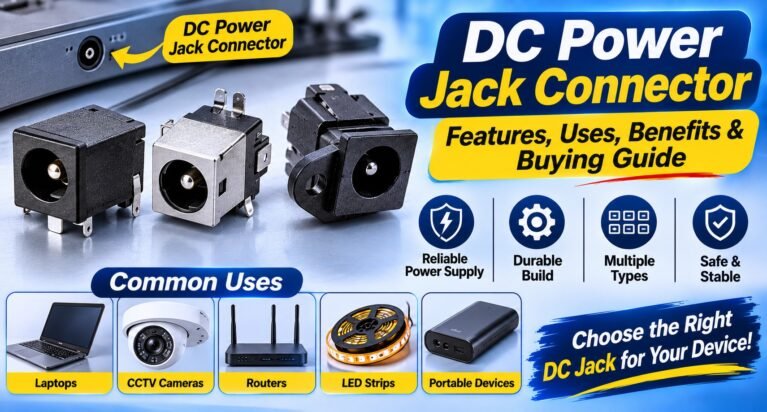
DC Power Jack Connector: Features, Uses, Benefits & Buying Guide
Introduction DC power connectors are widely used in electronic devices that require a stable direct current (DC) power supply. From CCTV cameras and DVR…

How to Evaluate the Future Potential of a Residential Location
The future potential of a residential location is one of the most important factors to consider before purchasing property or investing in residential plots.…
Why Land Investment Is Considered a Long-Term Wealth-Building Strategy
Land investment is widely considered a long-term wealth-building strategy because land is a limited natural resource with the potential to appreciate over time. Unlike…

How to Plan a Successful Building Project in Bristol
It doesn’t matter if you want House Extensions Bristol or loft conversions along with any other type of construction work, all construction projects start…

What Amenities Should You Look for When Choosing a Luxury Farmhouse in Naugaon?
A luxury farmhouse is not defined only by the size of the plot or the appearance of its buildings. The overall experience depends on…
Time Is the Real Cost in Embroidery, and Multi-Needle Machines Address It
Every manual thread swap eats into your day. A commercial multi needle embroidery machine removes most of that interruption, giving small business owners more…

