
Companies Depends on SAP systems to manage critical business processes and store valuable information like financial data, employee records, customer details, and business transactions.
While strong access controls are essential, authorized users may still see sensitive information that is not necessary for their daily responsibilities.
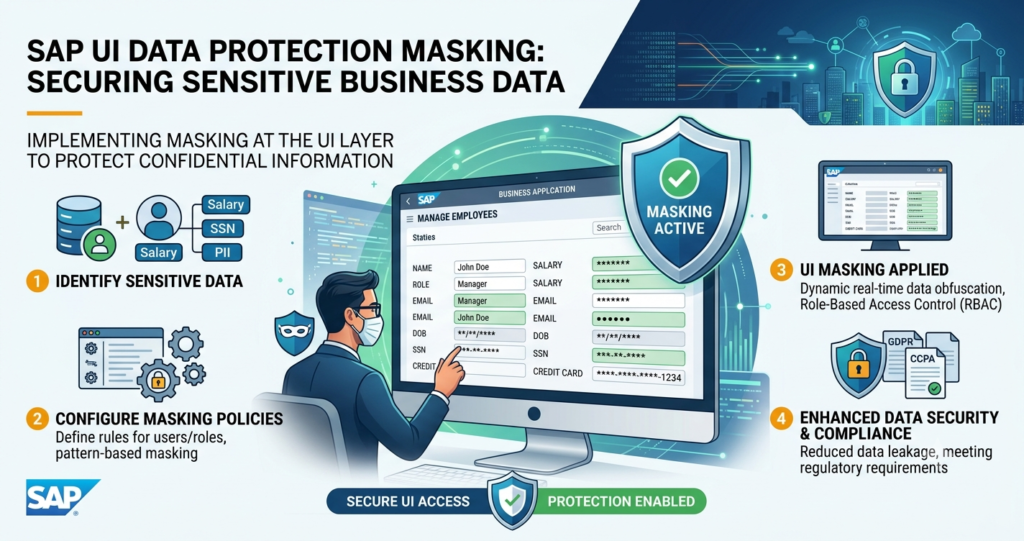
SAP UI Data Protection Masking gives an additional layer of protection by masking sensitive information at the user interface level.
What Is SAP UI Data Protection Masking?
SAP UI Data Protection Masking is a security approach that hides sensitive information displayed in SAP applications from users who do not need to view the underlying data. Instead of changing the original information stored in the SAP database, masking controls how sensitive fields are presented to users. For example, a customer identification number, bank account detail, personal information, or other confidential field may be displayed in a masked format.
Authorized users can retain access when their business responsibilities require the actual information.
This approach helps organizations follow the principle of least privilege while reducing unnecessary exposure of sensitive information.
Why Is Sensitive Data Protection Important in SAP?
SAP environments can contain information that is valuable to attackers and highly sensitive from a privacy and compliance perspective.
Excessive visibility of such information can increase the risk of accidental disclosure, insider misuse, and unauthorized data access.Traditional authorization controls determine whether a user can access an SAP application or transaction. However, organizations may also need more granular controls over what information an authorized user can actually see.
UI-level masking addresses this gap by adding protection at the presentation layer.
How UI Data Masking Protects Business Information
SAP UI Data Protection Masking can help organizations protect sensitive information in several ways:
- 1. Reduces unnecessary data exposure
Users can perform their assigned business activities without automatically viewing sensitive values that are irrelevant to their role. - 2. Protects personally identifiable information
Organizations can apply masking to sensitive personal information and reduce unnecessary exposure of PII within SAP applications. - 3. Supports role-based protection
Masking policies can be aligned with business roles and responsibilities, allowing appropriate users to view information while limiting visibility for others. - 4. Helps reduce insider risk
Even legitimate SAP users may not require unrestricted visibility into every sensitive field. Masking provides an additional safeguard against accidental or intentional misuse. - 5. Supports privacy and compliance initiatives
Organizations operating under data protection and privacy requirements can use UI-level controls as part of a broader data protection strategy.
SAP UI Masking as Part of a Broader Security Strategy
UI Data Protection Masking should not replace SAP authorization, identity management, monitoring, or other security controls. Instead, it complements them.
A comprehensive SAP security strategy can combine strong authentication, role-based access controls, segregation of duties, sensitive-data protection, monitoring, and UI-level masking. Together, these controls provide multiple layers of protection around critical business information.
Conclusion
Sensitive information in SAP should be protected throughout its lifecycle, including when it is displayed to authorized users. SAP UI Data Protection Masking helps organizations reduce unnecessary exposure by controlling how sensitive fields are presented within SAP applications.For enterprises managing customer, employee, financial, or other confidential information, UI-level masking can be an important component of a broader SAP data security and privacy strategy. When combined with appropriate authorization and monitoring controls, it can help organizations create a more secure and privacy-aware SAP environment.
Read more exciting content SAP UI Data Protection Masking and UI Data Protection Logging for Protecting Sensitive Data